
Toyota RAV4 (XA40) 2013-2018 Service Manual: Removal and installation of engine intake parts
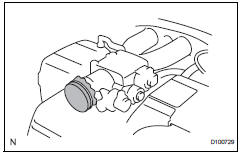
- If any metal particles enter inlet system parts, they may damage the engine.
- When removing and installing inlet system parts, cover the openings of the removed parts and engine openings. Use gummed tape or other suitable materials.
- When installing inlet system parts, check that no metal particles have entered the engine or the installed parts.
 Removal and installation of fuel control
parts
Removal and installation of fuel control
parts
Place for removing and installing fuel
system parts
Work in a location with good air ventilation that
does not have welders, grinders, drills, electric
motors, stoves, or any other igni ...
 Handling of hose clamps
Before removing the hose, check the clamp position
so that it can be reinstalled in the same position.
Replace any deformed or dented clamps with new
ones.
When reusing a hose, attach t ...
Other materials:
Rear coil spring
Components
Removal
Hint:
Use the same procedures for the rh side and lh side.
The procedures listed below are for the lh side.
Remove rear wheel
Remove skid control sensor wire (for 2wd)
(see page bc-198)
Remove rear speed sensor lh (for 4wd) (see
page bc-205)
Disconnect ...
Parts location
System diagram
Hint:
The abs and traction actuator (skid control ecu)
detects and stores steering sensor and yaw rate
sensor dtcs and performs dtc communication by
receiving information from the steering sensor and
yaw rate sensor.
The ecm uses the can communication sy ...
Disassembly
Remove radiator grille sub-assembly
Remove the 4 bolts and 4 nuts.
Detach the 6 claws and remove the radiator grille.
Remove no. 1 Radiator grille lower
Detach the 18 claws and remove the radiator grille.
Remove no. 2 Radiator grille lower
Detac ...
