
Toyota RAV4 (XA40) 2013-2018 Service Manual: Horn system
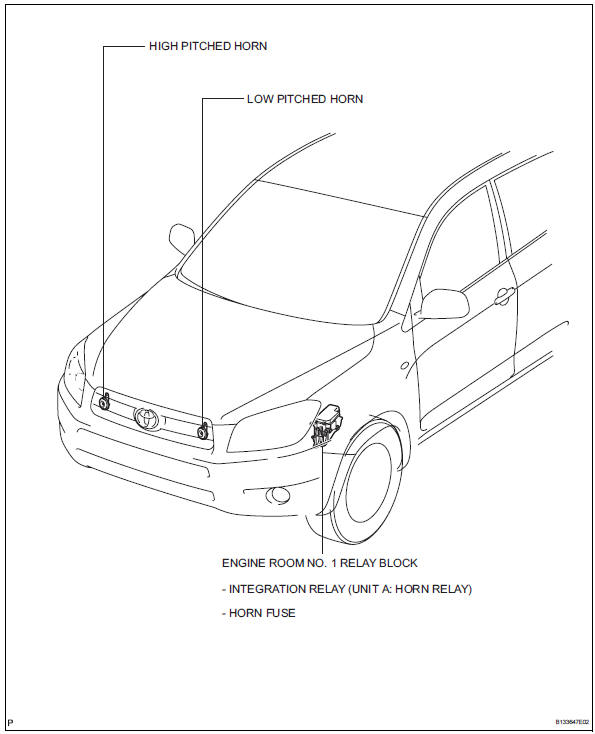
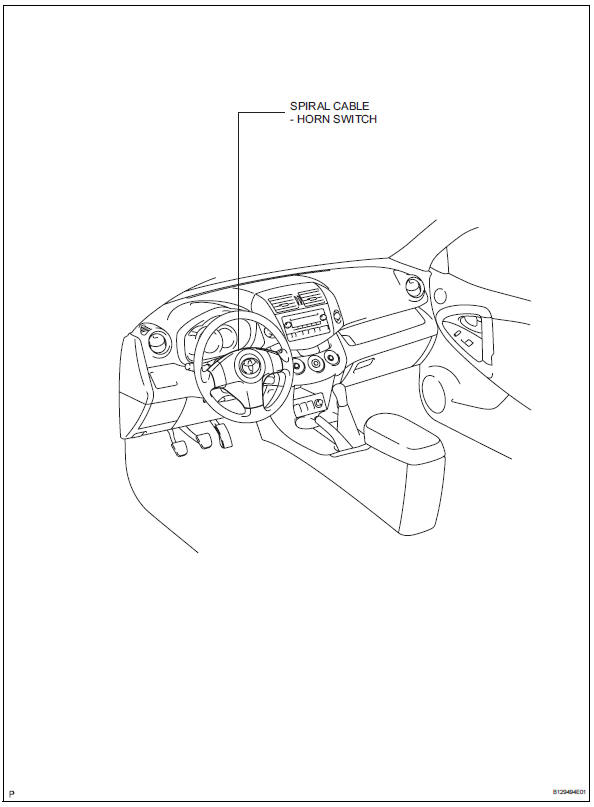
Parts location
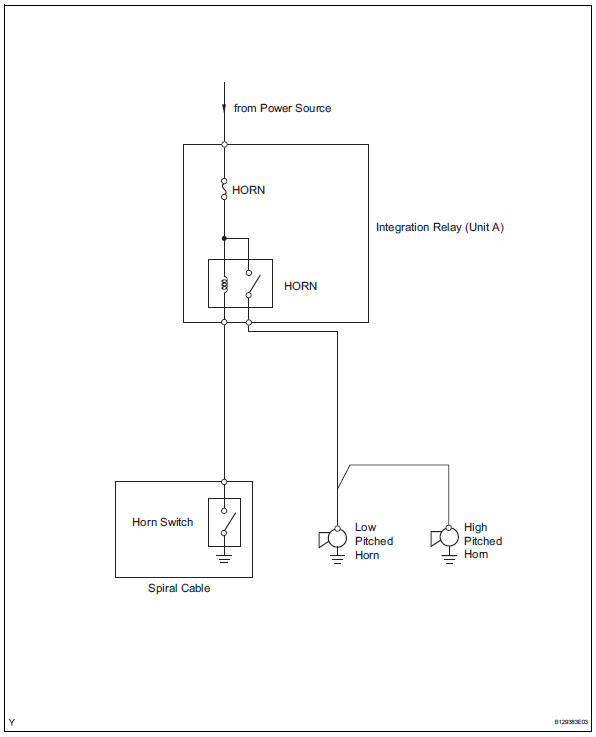
System diagram
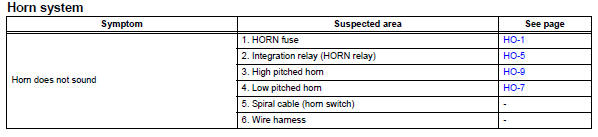
Problem symptoms table
Hint:
Use the table below to help determine the cause of the problem symptom. The potential causes of the symptoms are listed in order of probability in the "suspected area" column of the table. Check each symptom by checking the suspected areas in the order they are listed. Replace parts as necessary.
 Horn
Horn
...
 Horn relay
On-vehicle inspection
Remove engine room no. 1 Relay block cover
Inspect integration relay (unit a: horn relay)
Using a screwdriver, detach the 2 claws and
disconnect the integration ...
Other materials:
Diagnosis system
Check dlc3
The ecm uses iso 15765-4 for communication. The
terminal arrangement of the dlc3 complies with sae
j1962 and matches the iso 15765-4 format.
If the result is not as specified, the dlc3 may have a
malfunction. Repair or replace the harness and
connector.
Hint:
Conn ...
Occupant classification ecu
Components
On-vehicle inspection
Inspect occupant classification ecu
(vehicle not involved in collision)
Perform a diagnostic system check (see page rs-
236).
Inspect occupant classification ecu
(vehicle involved in collision)
Perform a diagnostic system check (see p ...
Symptom confirmation and diagnostic trouble code
Hint:
The diagnostic system in the rav4 has various
functions.
The first function is the diagnostic trouble code
(dtc) check. A dtc is a code stored in the ecu
memory whenever a malfunction in the signal circuits
to the ecu occurs. In a dtc check, a previous
malfunction's dtc can be ch ...
