
Toyota RAV4 (XA40) 2013-2018 Service Manual: Parts location
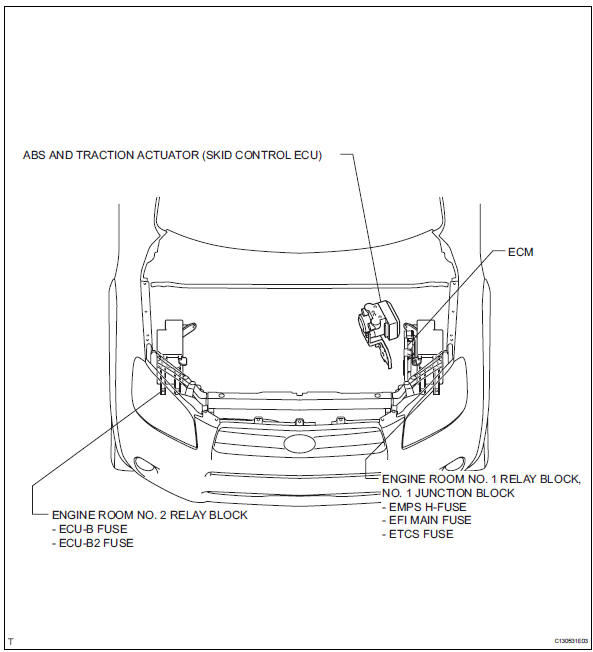
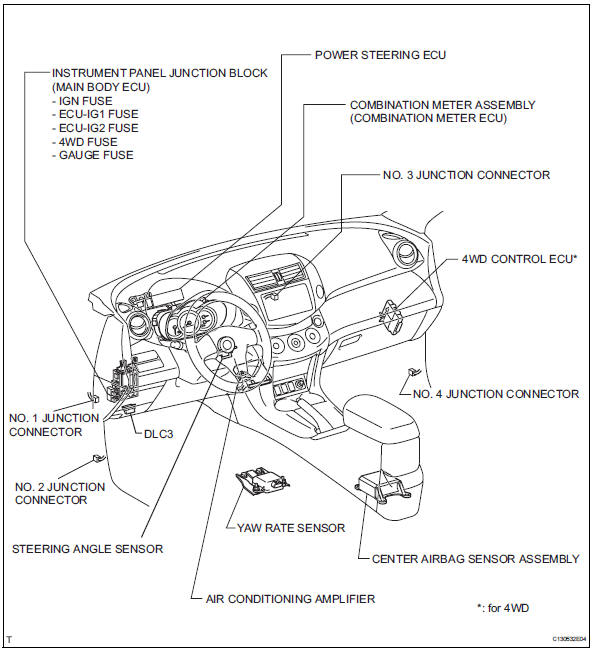
System diagram
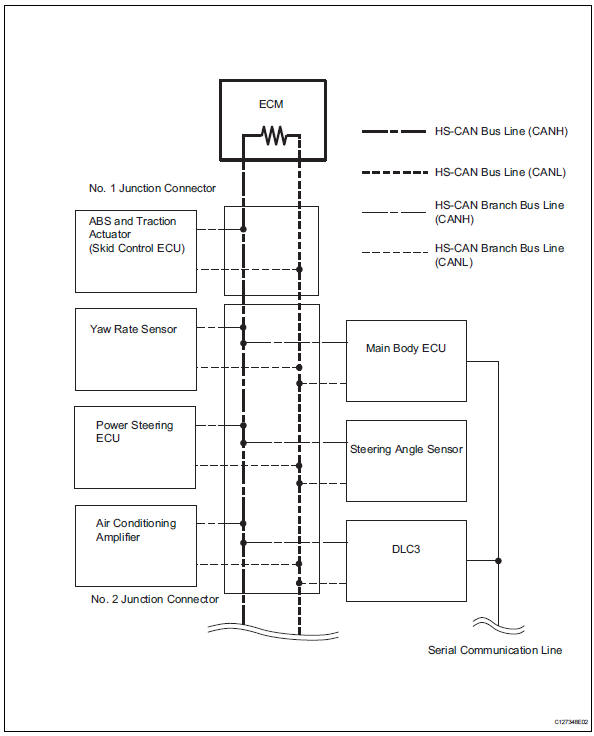
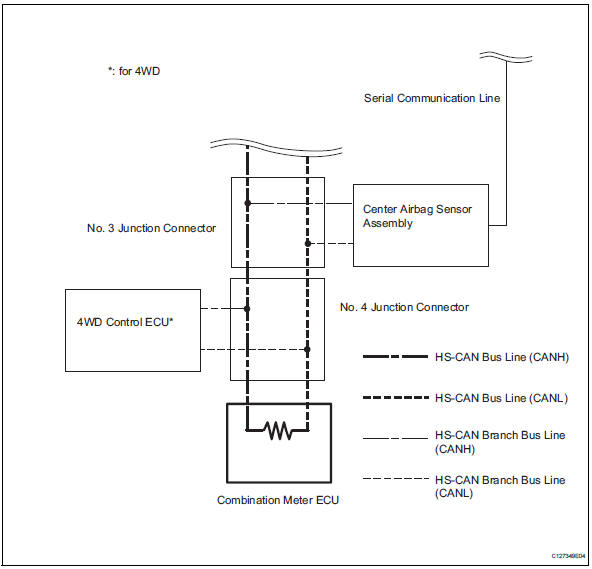
Hint:
- The abs and traction actuator (skid control ecu) detects and stores steering sensor and yaw rate sensor dtcs and performs dtc communication by receiving information from the steering sensor and yaw rate sensor.
- The ecm uses the can communication system to perform dtc communication instead of the conventional communication line (sil).
 Can communication system
Precaution
Precaution
Turn the ignition switch off before measuring the
resistance of the main wire and the branch wire.
After the ignition switch is turned off, check that the
key rem ...
 System description
Brief description
The can (controller area network) is a serial data
communication system for real time application. It is
a vehicle multiplex communication system which
has a high comm ...
Other materials:
Customer problem analysis
Hint:
In troubleshooting, confirm that the problem symptoms
have been accurately identified. Preconceptions should be
discarded in order to make an accurate judgment. To
clearly understand what the problem symptoms are, it is
extremely important to ask the customer about the
problem an ...
Seat heater switch
Components
Removal
Disconnect cable from negative battery
terminal
Caution:
Wait at least 90 seconds after disconnecting the
cable from the negative (-) battery terminal to
prevent airbag and seat belt pretensioner activation.
Remove switch base (see page ip-18)
Remove seat he ...
Removal
Hint:
Use the same procedures for the lh side and rh side.
The procedures listed below are for the lh side.
Disconnect cable from negative battery
terminal
Caution:
Wait at least 90 seconds after disconnecting the
cable from the negative (-) battery terminal to
prevent airbag and ...
