
Toyota RAV4 (XA40) 2013-2018 Service Manual: Parts location
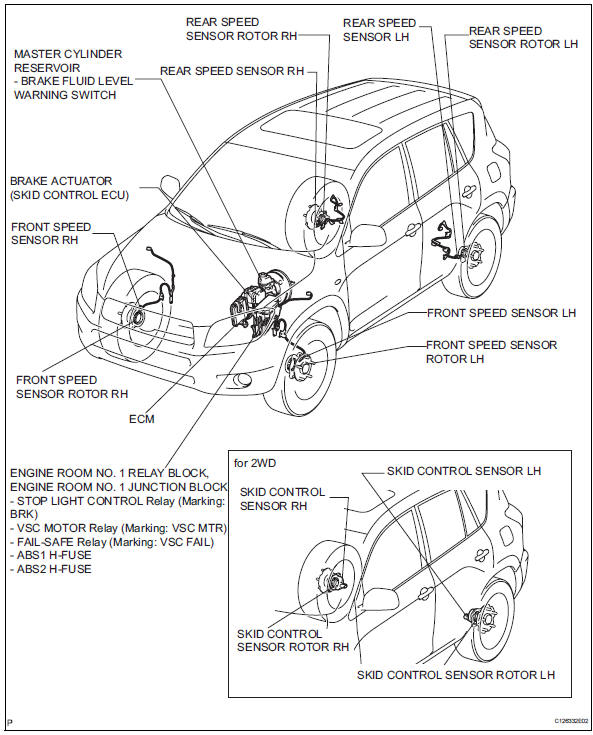
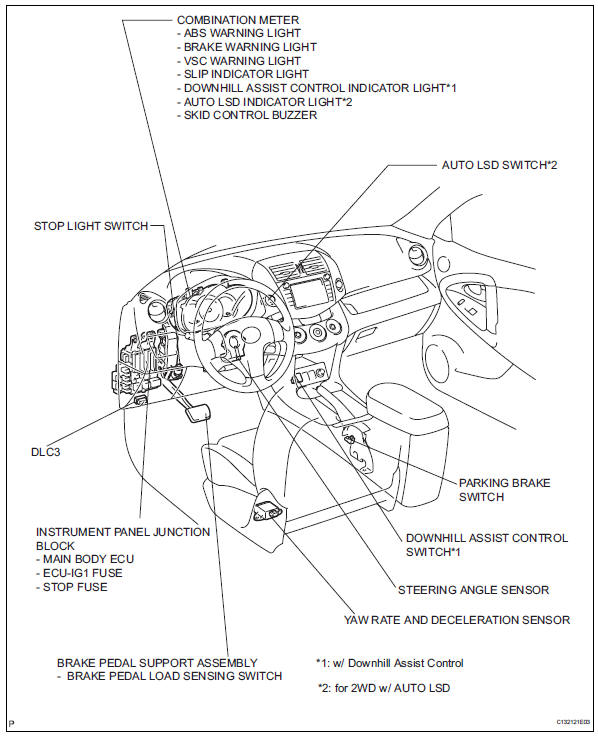
System diagram
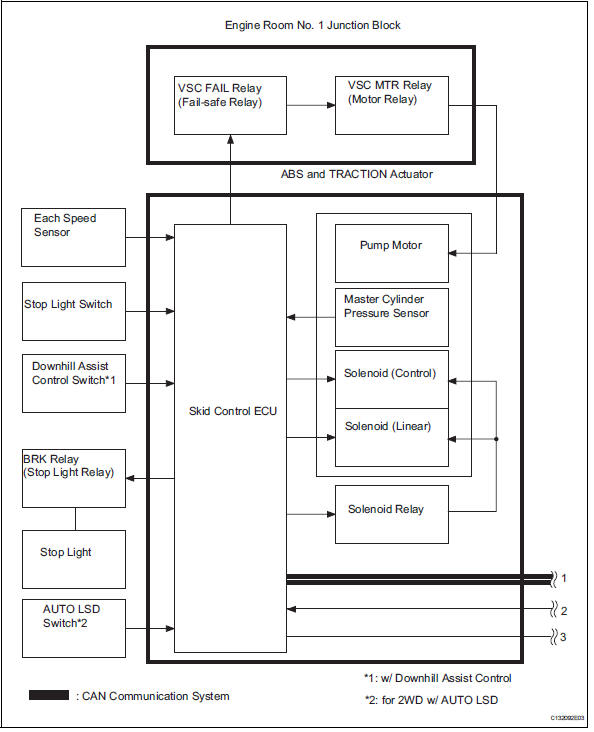
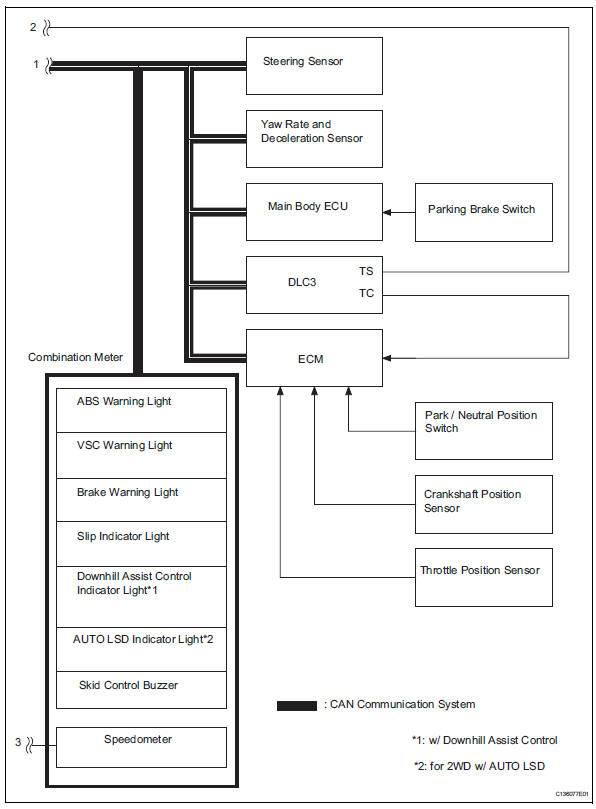
 Precaution
Troubleshooting precaution
When there are malfunctions in the contact points of
the terminals or installation problems with any parts,
removal and installation of the suspected problem
...
 System description
System description
Hint:
The skid control ecu forms a single unit with the abs
and traction actuator.
Abs (anti-lock brake system):
the abs helps prevent the wheels from locking
when t ...
Other materials:
Bus ic communication malfunction
Description
The air conditioning harness connects the air conditioning amplifier and the
servos. The air conditioning
amplifier supplies power and sends operation instructions to each servo through
the air conditioning
harness. Each servo sends damper position information to the air condi ...
Types of child restraints
Child restraint systems are classified into the following 3 types
according to the age and size of the child:
Rear facing „o infant seat/convertible
seat
Forward facing „o convertible
seat
Booster seat
Selecting an appropriate child restraint system
Use a child restraint ...
Terminals of ecu
Check combination meter assembly
Measure the voltage and resistance of the
connector.
Check instrument panel junction block (main body ecu)
Measure the voltage and resistance of the
connectors.
...
