
Toyota RAV4 (XA40) 2013-2018 Service Manual: System diagram
System diagram (2005/11-2006/01)
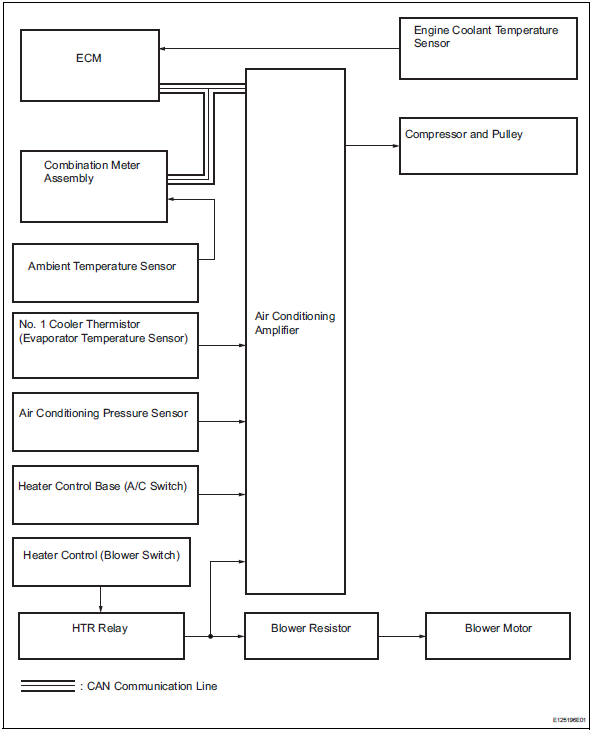
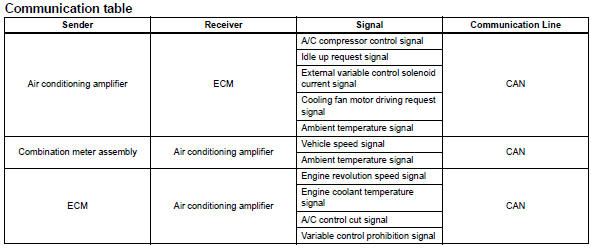
System diagram (2006/01- )
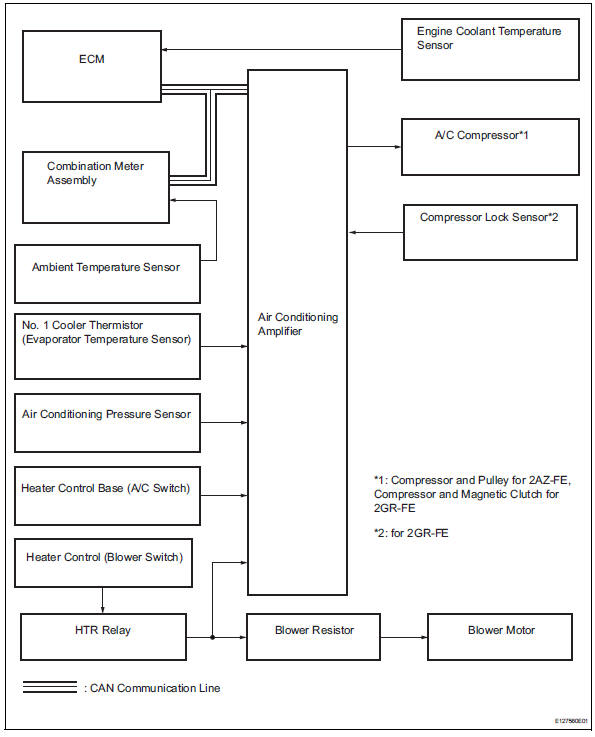
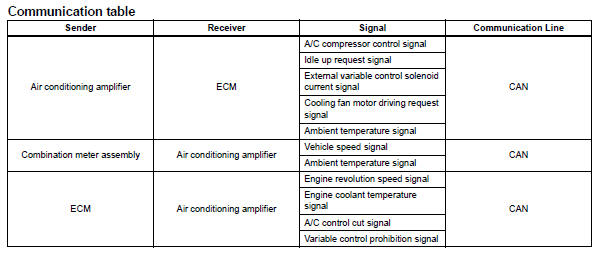

 System description
General
The air conditioning system has the following
features:
The air conditioning amplifier controls the
operation of parts, such as the a/c compressor,
automatically in accord ...
Other materials:
Ventilation valve
Components
Removal
Remove no. 1 Engine cover (see page em-22)
Remove ventilation valve sub-assembly
Disconnect the ventilation hose from the ventilation
valve.
Using a 22 mm deep socket wrench, remove the
ventilation valve.
Inspection
Inspect ventilation val ...
Parking brake
Sets the parking brake
Fully pull the parking brake while
depressing the brake pedal.
Releases the parking brake
Slightly raise the lever and lower it
completely while pressing the button.
Usage in winter time
Notice
Before driving
Fully release the parking brake.
Driving t ...
Diagnosis system
Bus check
Select "bus check" from the "obd / mobd
menu" screen.
Hint:
The ecus and sensors that are properly connected
to the can communication system can be displayed
using the intelligent tester via can vim.
Press "enter" on the intelligen ...
