
Toyota RAV4 (XA40) 2013-2018 Service Manual: Vanity light
Components
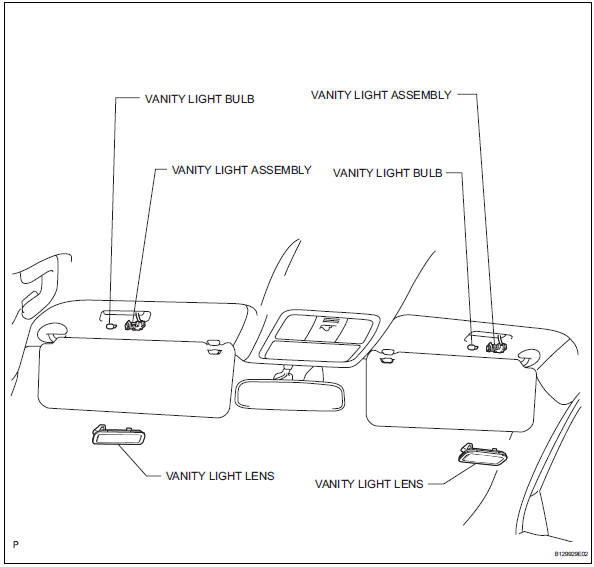
Removal
Hint:
- Use the same procedures for the rh and lh sides.
- The procedures listed below are for the lh side.
- Disconnect cable from negative battery terminal
Caution:
Wait at least 90 seconds after disconnecting the cable from the negative (-) battery terminal to prevent airbag and seat belt pretensioner activation.
- Remove vanity light assembly
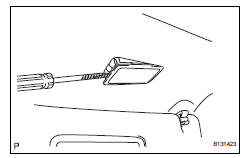
- Using a screwdriver, pry out the vanity light.
Hint:
Tape the screwdriver tip before use.
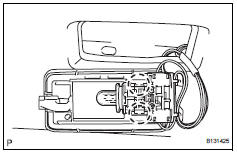
- Remove vanity light bulb
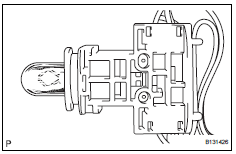
- Remove the light bulb from the vanity light.
Inspection
- Inspect visor assembly
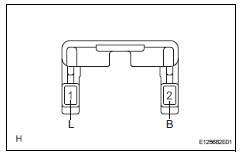
- Remove the visor assembly.
- Inspect vanity light switch.
Standard resistance 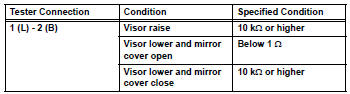
If the result is not as specified, replace the visor assembly.
Installation
- Install vanity light bulb
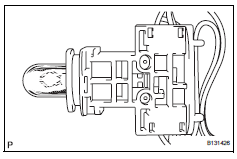
- Install the light bulb to the vanity light.
- Install vanity light assembly
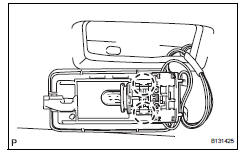
- Attach the 2 claws and install the vanity light lens to the vanity light.
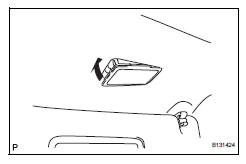
- Install the vanity light.
- Connect cable to negative battery terminal
 Ignition key cylinder light
Components
Removal
Disconnect cable from negative battery
Caution:
Wait at least 90 seconds after disconnecting the
cable from the negative (-) battery terminal to
prevent airbag and se ...
 Front console illumination
On-vehicle inspection
Inspect front console illumination
Connect the battery's positive (+) lead to terminal 1
and the negative (-) lead to terminal 2, then check
that the light come ...
Other materials:
Disassembly
Fix differential carrier sub-assembly
Fix the rear differential carrier in place with the
overhaul attachment.
Remove stud bolt
Remove the 4 stud bolts from the transmission
coupling.
Remove differential drain plug
Using a 10 mm socket hexagon wrench, remove ...
Blower resistor
On-vehicle inspection
Inspect blower motor control
Measure the resistance of the blower resistor.
Standard resistance
If the resistance is not as specified, replace the
blower motor control. ...
Reassembly (2006/01- )
Install front drive shaft bearing (for rh)
Install the bearing bracket snap ring to the inboard
shaft.
Using sst and a press, press in the drive shaft
bearing to the inboard joint rh.
Sst 09527-10011, 09710-04081
Notice:
The bearing should be installed completely.
Usi ...
