
Toyota RAV4 (XA40) 2013-2018 Owners Manual: Audio system types
- Vehicles with an entune premium audio with navigation
Refer to the “navigation and multimedia system owner’s manual�.
- Vehicles with an entune audio plus
Refer to the “navigation and multimedia system owner’s manual�.
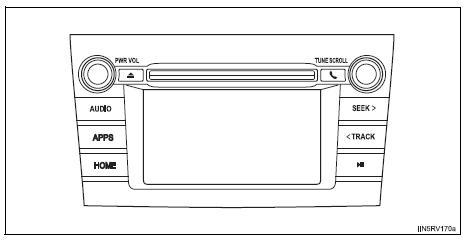
- Vehicles with an entune audio
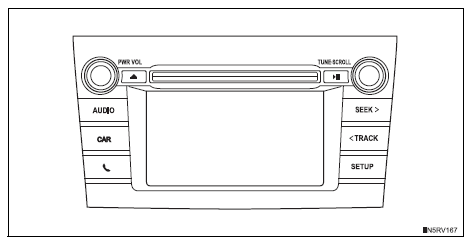
- Vehicles without an entune premium audio with navigation or entune audio plus or entune audio
Cd player with am/fm radio
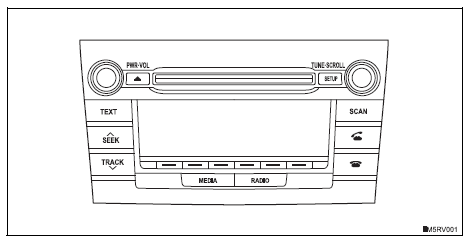
Changing language setting
- Press the “setup� button.
- Turn the “tune•scroll� knob to select “language�.
- Press the knob.
- Turn the knob as corresponds to the desired language.
“Englishâ€�, “españolâ€�, or “françaisâ€� can be selected.
Press the knob or  (save) to return to
the setup menu.
Using cellular phones
Interference may be heard through the audio system’s speakers if a cellular phone is being used inside or close to the vehicle while the audio system is operating.
Caution
Certification for the disc player
- Part 15 of the fcc rules
Fcc warning: changes or modifications not expressly approved by the party responsible for compliance could void the user’s authority to operate the device.
- Laser products
- Do not take this unit apart or attempt to make any changes
yourself.
This is an intricate unit that uses a laser pickup to retrieve information from the surface of compact discs. The laser is carefully shielded so that its rays remain inside the cabinet. Therefore, never try to disassemble the player or alter any of its parts since you may be exposed to laser rays and dangerous voltages.
- This product utilizes a laser.
Use of controls or adjustments or performance of procedures other than those specified herein may result in hazardous radiation exposure.
Notice
To prevent battery discharge
Do not leave the audio system on longer than necessary with the engine is stopped.
To avoid damaging the audio system
Take care not to spill drinks or other fluids over the audio system.

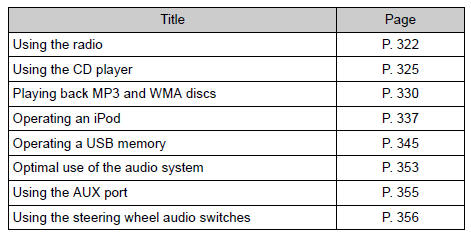
 Using the radio
Power
Volume
Adjusting the frequency
Scanning for receivable stations
Am/fm mode button
Station selectors
Seeking the frequency
Displaying text message
Setting station presets
...
Other materials:
System description
General
The air conditioning system has the following
features:
The air conditioning amplifier controls the
operation of parts, such as the a/c compressor,
automatically in accordance with the operating
conditions of the air conditioning system.
Mode position and damper ...
Removal
Remove radiator support opening cover
Remove front wheel rh
Remove front fender apron rh
Remove front suspension member
reinforcement rh
Remove the 4 bolts and reinforcement rh.
Remove fan and generator v belt
Using sst and 19 mm socket wrench, loosen the vribbed
belt ...
Removal
Disconnect cable from negative battery
terminal
Caution:
Wait at least 90 seconds after disconnecting the
cable from the negative (-) battery terminal to
prevent airbag and seat belt pretensioner activation.
Remove rear door scuff plate rh (see page
ir-29)
Remove package tray trim ...
