
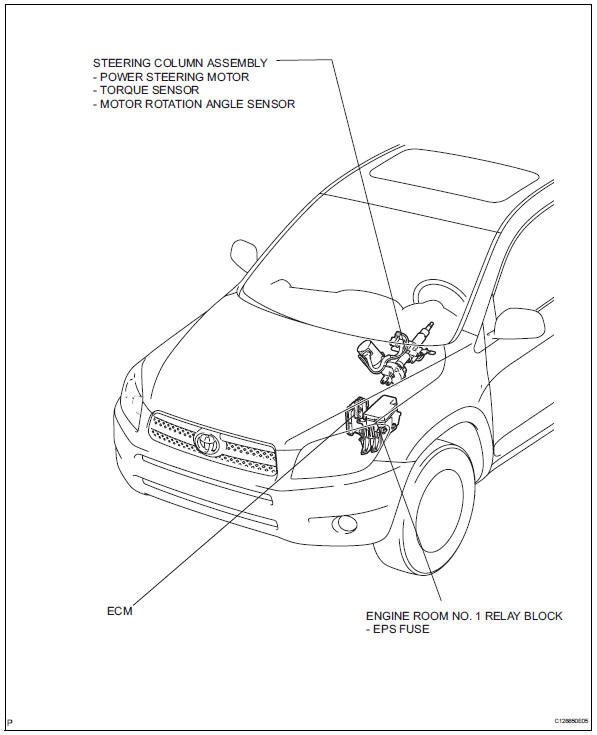
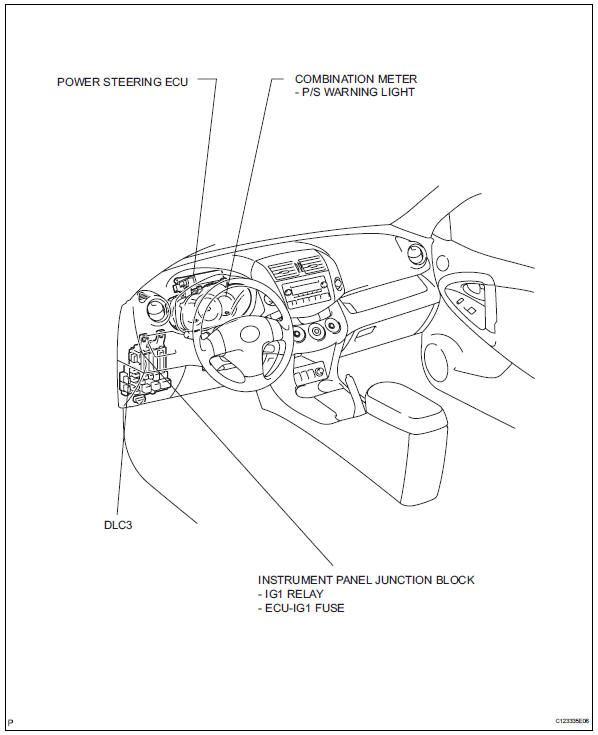
Toyota RAV4 (XA40) 2013-2018 Service Manual: Parts location
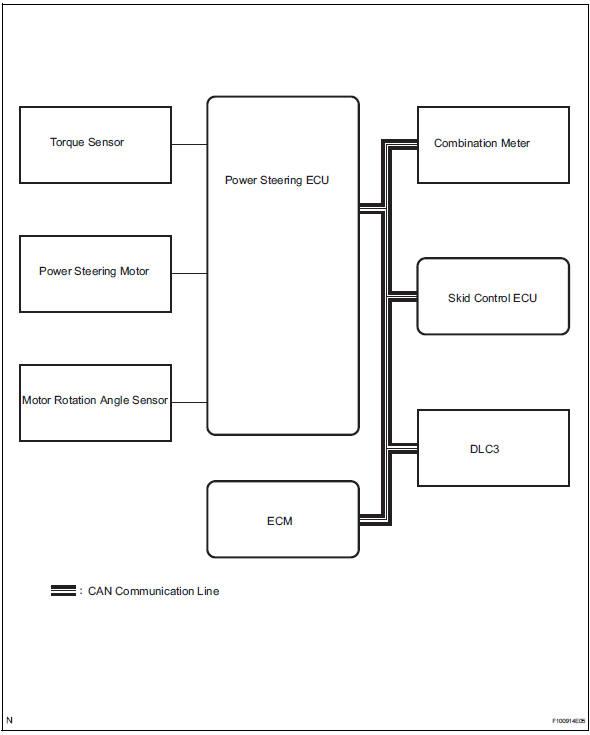
System diagram
 Precaution
Handling precaution
When handling the electronic parts:
Avoid any impact to electronic parts such as
ecus and relays. Replace with new ones if
dropped or subjected to a severe blow. ...
 System description
Description
The eps (electronic power steering) system generates
torque through the operation of the motor and the
reduction gear installed on the column shaft in order to
assist steering eff ...
Other materials:
Removal
Disconnect cable from negative battery
terminal
Caution:
Wait at least 90 seconds after disconnecting the
cable from the negative (-) battery terminal to
prevent airbag and seat belt pretensioner activation.
Remove air cleaner cap (see page es-411)
Remove air cleaner case
...
Dtc check / clear
Check dtc
Connect the intelligent tester (with can vim) to the
dlc3.
Turn the ignition switch on and turn the intelligent
tester on.
Read the dtc by following the prompts on the
tester screen.
Hint:
Refer to the intelligent tester operator's manual for
further details.
...
Precaution
Caution:
Replace the faulty parts of the seat belt systems (outer
belt, inner belt, bolts, nuts, adjustable shoulder anchor,
tether anchor hardware and other related parts). When
inspecting a vehicle that was in a collision, be sure to
check all of the seat belt systems regardless of whethe ...
