
Toyota RAV4 (XA40) 2013-2018 Service Manual: Parts location
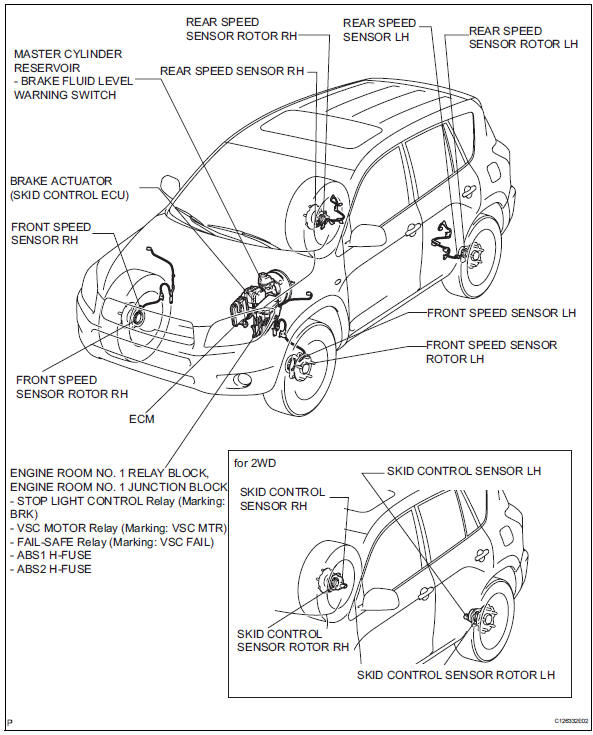
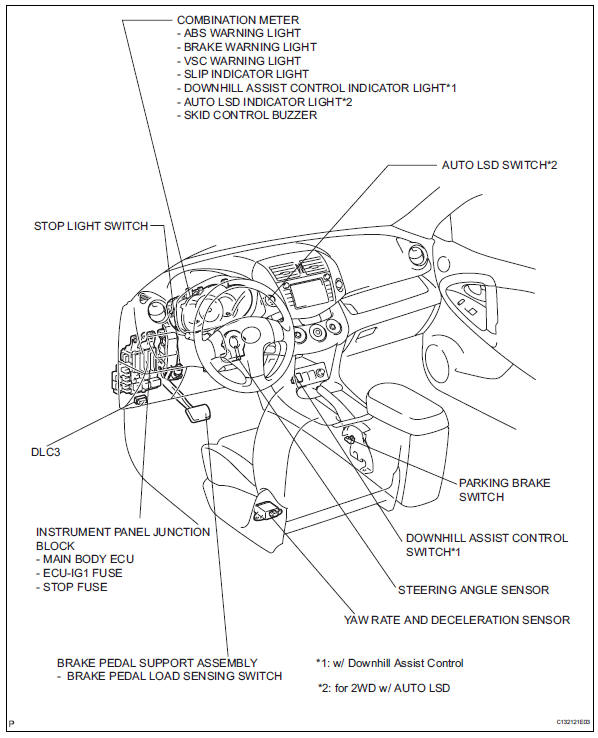
System diagram
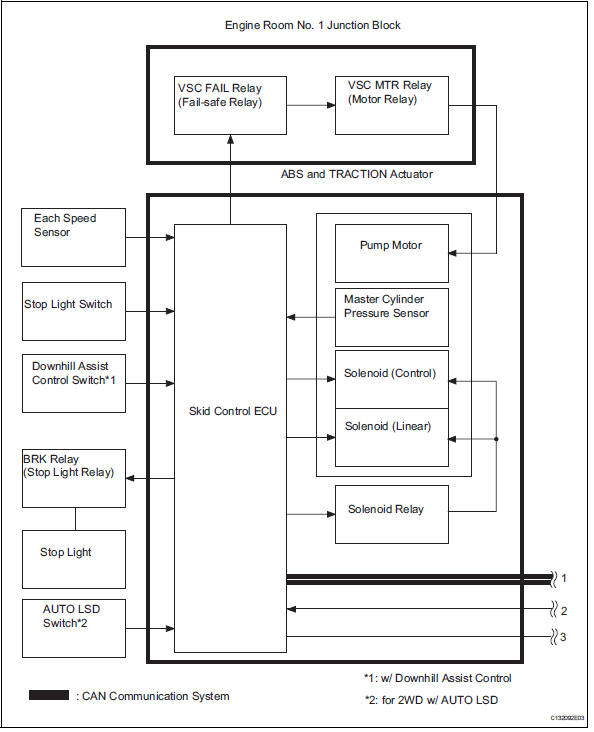
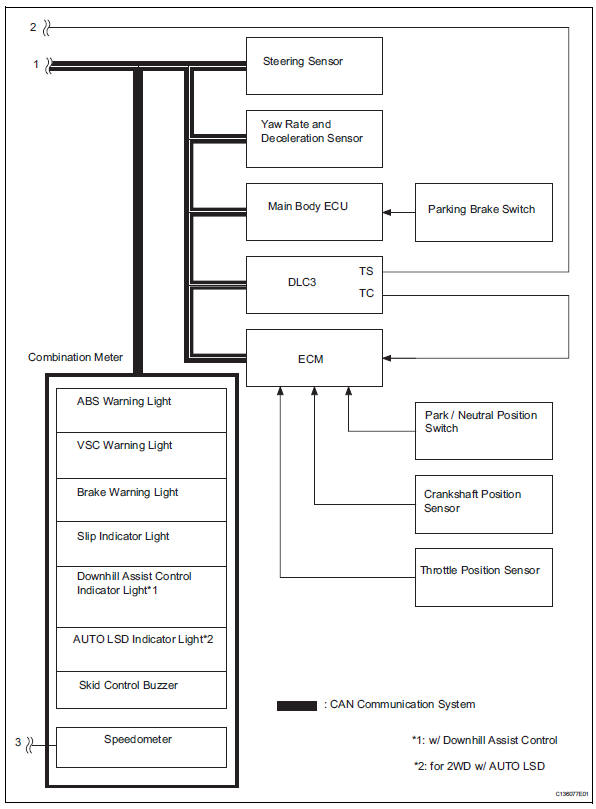
 Precaution
Troubleshooting precaution
When there are malfunctions in the contact points of
the terminals or installation problems with any parts,
removal and installation of the suspected problem
...
 System description
System description
Hint:
The skid control ecu forms a single unit with the abs
and traction actuator.
Abs (anti-lock brake system):
the abs helps prevent the wheels from locking
when t ...
Other materials:
Air mix damper control servo motor circuit (driver
side)
Description
The air mix damper servo sends pulse signals to indicate the damper position
to the air conditioning
amplifier. The air conditioning amplifier activates the motor (normal or
reverse) based on these signals to
move the air mix damper (driver seat) to the appropriate position. T ...
Removal
Hint:
Use the same procedures for the rh side and lh side.
The procedures listed below are for the lh side.
Disconnect cable from negative battery
terminal
Caution:
Wait at least 90 seconds after disconnecting the
cable from the negative (-) battery terminal to
prevent airbag and ...
Compressor circuit
Description
When the a/c switch is turned on, the magnetic clutch on signal is sent from
the air conditioning
amplifier. Then the mg clt relay turns on to operate the magnetic clutch.
Wiring diagram
Inspection procedure
Perform active test by intelligent tester (a/c mag clutch)
C ...
