
Toyota RAV4 (XA40) 2013-2018 Service Manual: Parts location
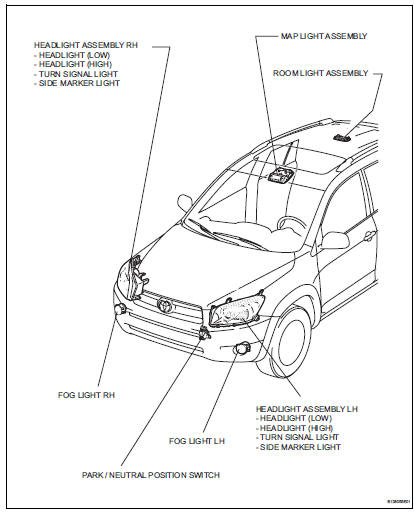
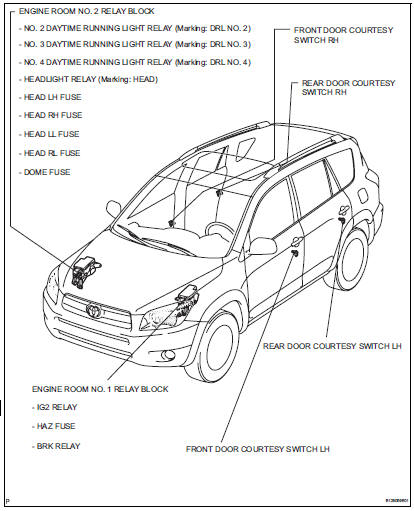
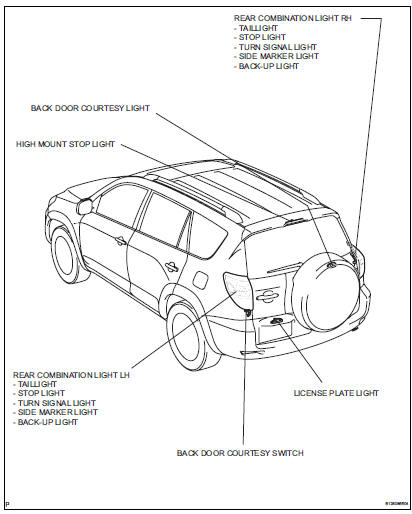
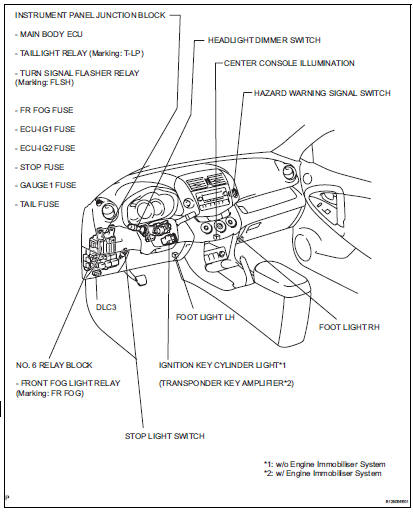
System diagram
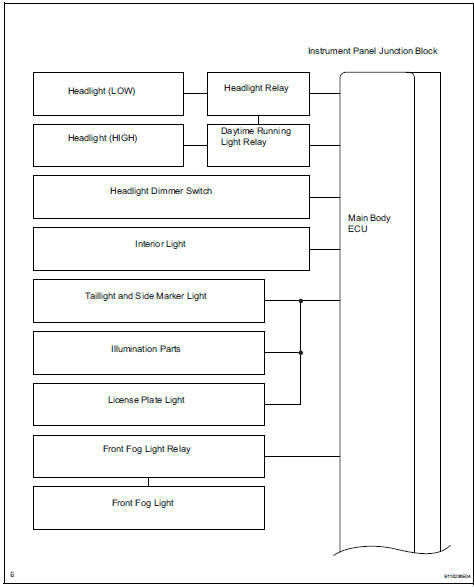
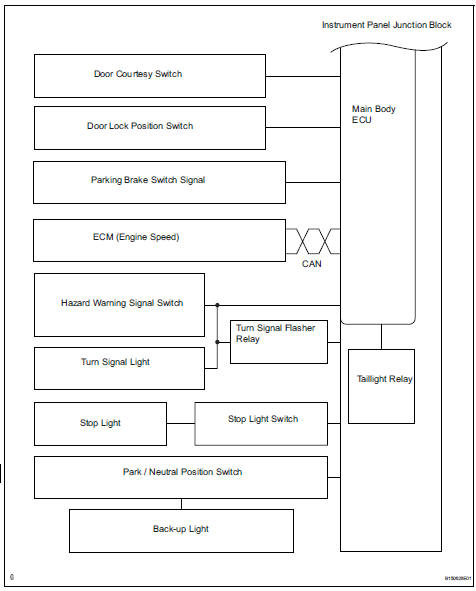
 Lighting system
...
 System description
Lighting system
Illumination control system (illuminated entry
system):
When the doors are unlocked by a key or
transmitter operation, or when a door is opened or
closed, the illuminat ...
Other materials:
Checking and adding the
brake fluid
â– Checking fluid level
The brake fluid level should be
between the "MAX" and "MIN"
lines on the tank.
â– Adding fluid
1. Slide and lift up the rubber
strip to partly remove it as
shown.
2. Disconnect the claws and
remove the service cover.
3. Remove the reservoir cap.
4. Add brake fluid slowl ...
Front door courtesy switch
Components
Removal
Hint:
Use the same procedures for the rh and lh sides.
The procedures listed below are for the lh side.
Disconnect cable from negative battery
terminal
Caution:
Wait at least 90 seconds after disconnecting the
cable from the negative (-) battery terminal t ...
Tires
Replace or rotate tires in accordance with maintenance schedules
and treadwear.
Checking tires
New tread
Treadwear indicator
Worn tread
The location of treadwear indicators
is shown by the ¢Â§twi¢¸ or ¢Â§ƒ´¢¸
marks, etc., Molded on the si ...
