
Toyota RAV4 (XA40) 2013-2018 Service Manual: Precaution
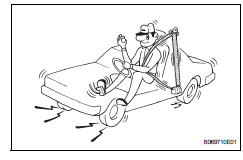
Caution:
Replace the faulty parts of the seat belt systems (outer belt, inner belt, bolts, nuts, adjustable shoulder anchor, tether anchor hardware and other related parts). When inspecting a vehicle that was in a collision, be sure to check all of the seat belt systems regardless of whether or not the system was activated in the collision. Replace any damaged or malfunctioning systems.
- Running test (in safe area)
Caution:
Conduct this test in a safe area.
- Fasten the front seat belt.
- Drive the vehicle at 16 km/h (10 mph) and firmly
depress the brakes. Check that the belts lock and
cannot be extended at this time.
If a belt does not lock, replace the seat belt assembly (see page sb-27).
Hint:
Inspect a seat belt assembly before installing it (see page sb-29).
Components
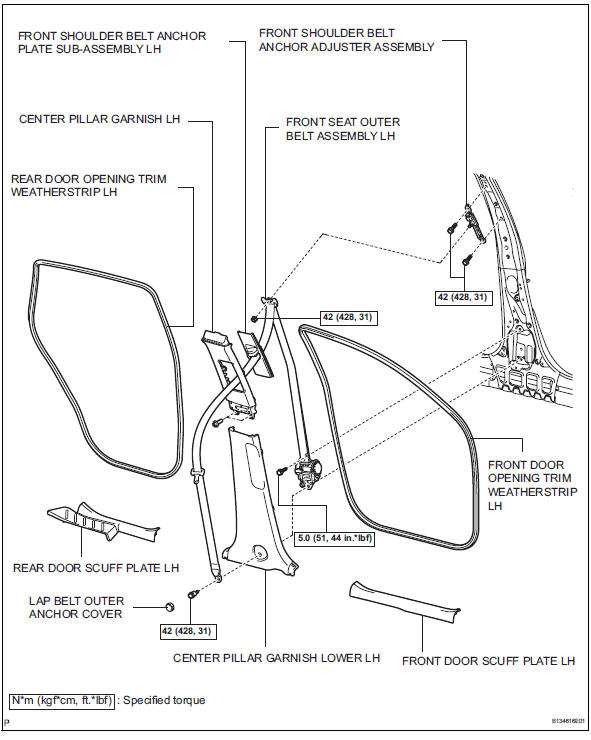

 Removal
Hint:
Use the same procedures for the lh side and rh side.
The procedures listed below are for the lh side.
Disconnect cable from negative battery
terminal
Caution:
Wait at least 90 ...
Other materials:
Dtc check / clear
Check dtc
Hint:
When dtc b1650/23 is detected as a result of
troubleshooting for the airbag system, troubleshoot
the occupant classification system.
Use the intelligent tester (with can vim) to read and
clear dtcs, otherwise the dtcs cannot be read and
cleared.
Connect ...
Terminals of ecu
Skid control ecu
Hint:
*1: W/ 16-inch disc
*2: W/ downhill assist control
*3: For 2wd (w/ auto lsd)
Check skid control ecu
Disconnect the a19 ecu connector.
Measure the voltage and resistance of the wire
harness side connector.
Hint:
The voltage cannot be measured ...
Problem symptoms table
Hint:
Use the table below to help determine the cause of the
problem symptom. The potential causes of the symptoms are
listed in order of probability in the "suspected area" column
of the table. Check each symptom by checking the suspected
areas in the order they are listed. Replace p ...
