
Toyota RAV4 (XA40) 2013-2018 Service Manual: Rear door belt moulding
Components
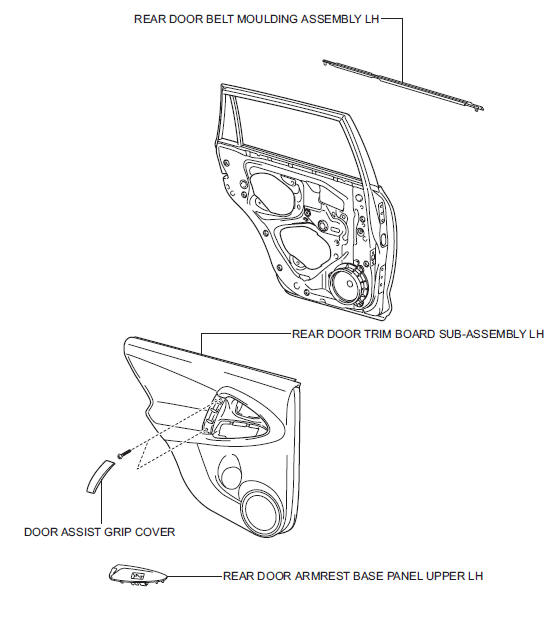
 Installation
Hint:
Use the same procedures for the rh side and lh side.
The procedures listed below are for the lh side.
Install front door belt moulding
assembly lh
Attach the claws to ins ...
 Removal
Hint:
Use the same procedures for the rh side and lh side.
The procedures listed below are for the lh side.
Disconnect cable from negative battery
terminal
Caution:
Wait at least 90 ...
Other materials:
Can bus line
Description
When any dtc for the can communication system is output, first measure the
resistance between the
terminals of the dlc3 to specify the trouble area, and check that there is not a
short in the can main wire,
between the main wire, to +b, or to gnd.
Wiring diagram
Inspecti ...
Purpose of readiness tests
The on-board diagnostic (obd ii) system is designed to
monitor the performance of emission related components,
and indicate any detected abnormalities with dtc
(diagnostic trouble codes). Since various components
need to be monitored during different driving conditions,
the obd ii syste ...
Removal (2005/11-2006/01)
Remove front wheel
Drain automatic transaxle fluid
Drain the automatic transaxle fluid for u140f (see
page ax-147).
Drain the automatic transaxle fluid for u241e (see
page ax-146).
Remove front axle hub nut (see page ah-6)
Disconnect front speed sensor lh
Disconnect th ...
