
Toyota RAV4 (XA40) 2013-2018 Service Manual: Rear wiper motor
Components
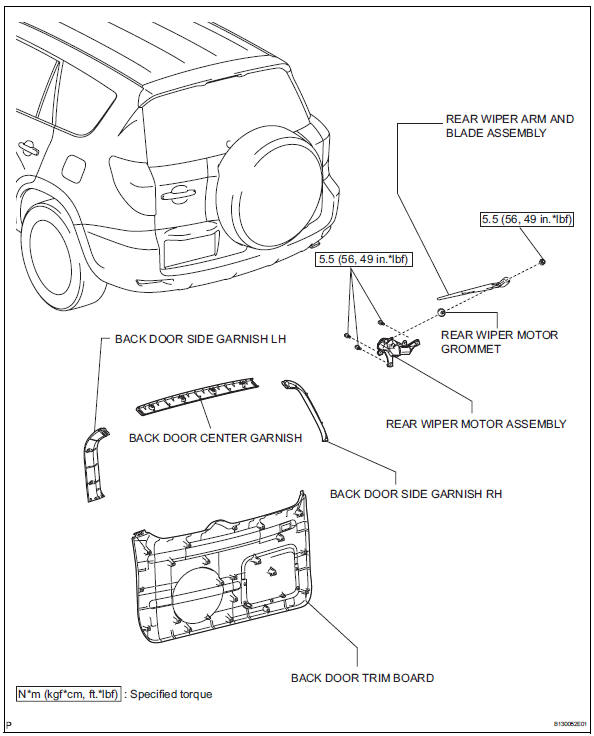
Removal
- Disconnect cable from negative battery terminal
Caution:
Wait at least 90 seconds after disconnecting the cable from the negative (-) battery terminal to prevent airbag and seat belt pretensioner activation.
- Remove back door center garnish (see page ed-59)
- Remove back door side garnish lh (see page ed-59)
- Remove back door side garnish rh (see page ed-59)
- Remove back door trim board (see page ed- 59)
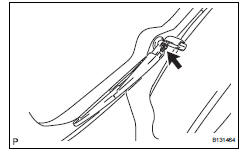
- Remove rear wiper arm and blade assembly
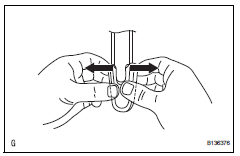
- Widen each end of the cap 5 mm (0.19In).
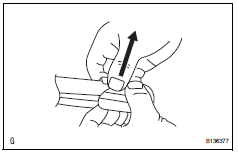
- Lift the both widened ends of the cap.
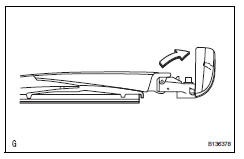
- Rotate the cap. Fix the cap in place.
- Remove the nut and arm and blade.
- Remove rear wiper motor grommet
- Remove rear wiper motor assembly
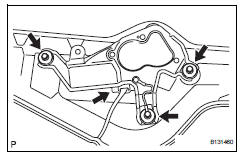
- Disconnect the connector.
- Remove the 3 bolts and wiper motor.
Inspection
- Inspect rear wiper motor
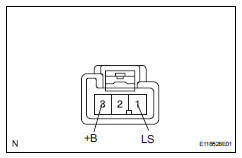
- Connect the battery's positive (+) lead to terminal 3 (+b) and the negative (-) lead to terminal 1 (ls).
- Check that the rear wiper motor operates.
Ok: rear wiper motor operates.
Notice:
Check that the body ground is connected.
If the result is not as specified, replace the motor.
Installation
- Install rear wiper motor assembly
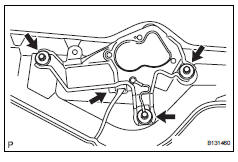
- Install the wiper motor with the 3 bolts.
Torque: 5.5 N*m (56 kgf*cm, 49 in.*Lbf)
- Connect the connector.
- Install rear wiper motor grommet
- Install rear wiper arm and blade assembly
- Stop the wiper motor at the automatic stop position.
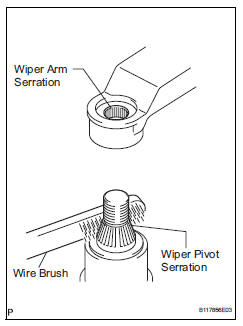
- Clean the wiper arm serration with a round file or equivalent.
- Clean the wiper pivot serration with a wire brush.
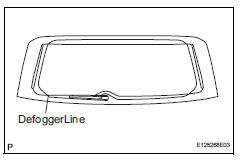
- Install the arm and blade with the nut. Make sure that the arm and blade comes to the position shown in the illustration.
Torque: 5.5 N*m (56 kgf*cm, 49 in.*Lbf)
Hint:
- Hold down the arm hinge by hand while tightening the nut.
- Install the arm and blade so that the rear wiper blade is aligned with the ceramic line.
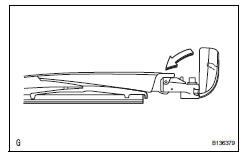
- Install the cap.
- Install back door trim board assembly (see page ed-66)
- Install back door side garnish rh (see page ed-67)
- Install back door side garnish lh (see page ed-67)
- Install back door center garnish (see page ed-67)
- Connect cable to negative battery terminal
 Front wiper rubber
Components
Removal
Remove front wiper blade
Detach the claw as shown in the illustration.
Remove the wiper blade as shown in the illustration.
Notice:
Do not fold ...
 Rear wiper rubber
Components
Removal
Remove rear wiper blade assembly
Rotate and remove the cap as described in the
"remove" procedures.
Raise the arm and blade.
Raise the wip ...
Other materials:
Inspection
Inspect engine coolant temperature sensor
Measure the resistance of the sensor.
Standard resistance
Notice:
If checking the sensor in water, be careful not to
allow water to contact the terminals. After
checking, wipe the water off the sensor.
If the result is not as specified, ...
Reassembly
Caution:
Wear protective gloves. Sharp areas on the seat frame
(with adjuster) may injure your hands.
Hint:
Use the same procedures for the rh side and lh side.
The procedures listed below are for the lh side.
Install occupant classification ecu (for
driver side) (see page rs-394)
...
Removal
Discharge fuel system pressure (see page
fu-9)
Disconnect cable from negative battery
terminal
Caution:
Wait at least 90 seconds after disconnecting the
cable from the negative (-) battery terminal to
prevent airbag and seat belt pretensioner activation.
Remove radiator support op ...
