
Toyota RAV4 (XA40) 2013-2018 Service Manual: Front wiper rubber
Components
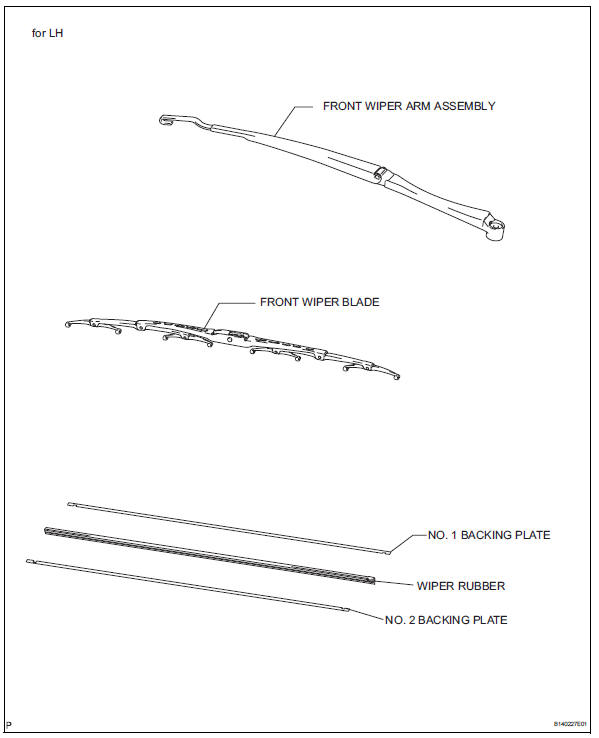
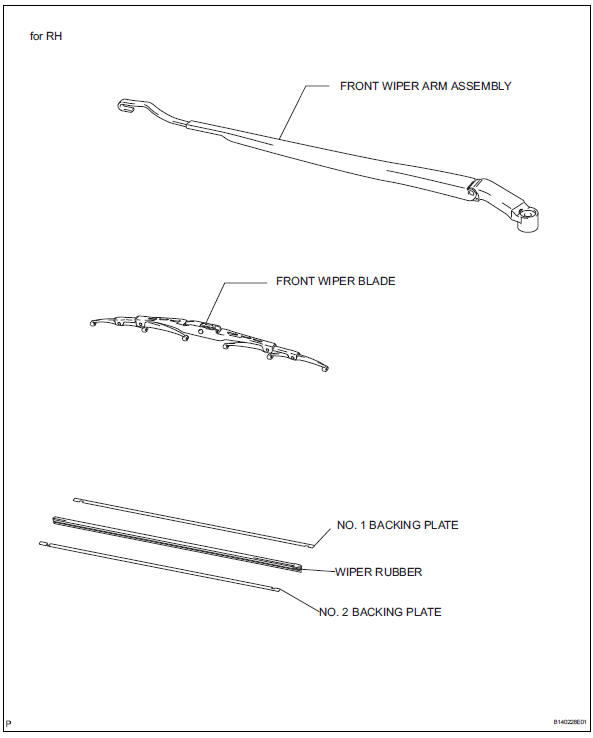
Removal
- Remove front wiper blade
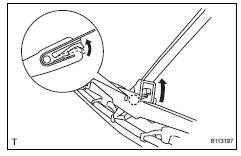
- Detach the claw as shown in the illustration.
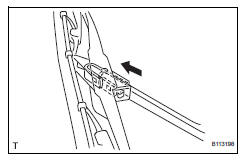
- Remove the wiper blade as shown in the illustration.
Notice:
Do not fold the wiper arm with the wiper blade removed. The arm tip may damage the windshield surface.
- Remove wiper rubber
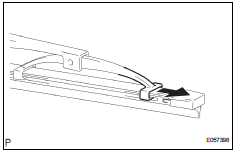
- Detach the head part (large side) of the wiper rubber from the wiper blade.
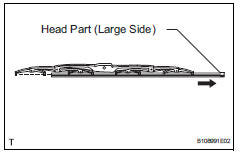
- Remove the wiper rubber in the direction indicated by the arrow in the illustration.
Notice:
Do not pull out the wiper rubber forcibly. Doing so will deform the backing plate or damage the blade claw.
- Remove the 2 wiper rubber backing plates from the wiper rubber.
Installation
- Install wiper rubber
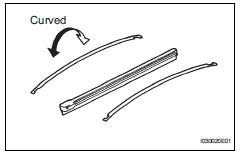
- Install the 2 packing plates to the rubber.
Notice:
Install the packing plates facing the proper direction.
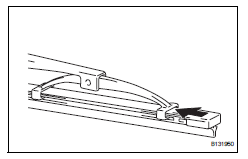
- Install the wiper rubber to the claw of the wiper blade in the direction indicated by the arrow in the illustration.
Hint:
Install the wiper rubber so that the head part (large side) of the wiper rubber faces the arm axle side.
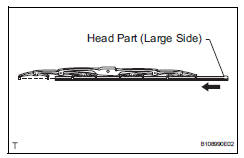
- Attach the head part (large side) of the wiper rubber to the rear end side claw of the wiper blade.
Notice:
Push the wiper blade into the grooves of the wiper rubber to attach them completely.
- Install front wiper blade
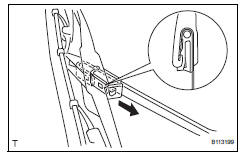
- Attach the claw to install the wiper blade.
 Front wiper motor and link
Components
Removal
Disconnect cable from negative battery
terminal
Caution:
Wait at least 90 seconds after disconnecting the
cable from the negative (-) battery terminal to
prevent ai ...
 Rear wiper motor
Components
Removal
Disconnect cable from negative battery
terminal
Caution:
Wait at least 90 seconds after disconnecting the
cable from the negative (-) battery terminal to
prevent ai ...
Other materials:
Front power seat lumbar switch
Inspection
Inspect front power seat lumbar switch lh
Measure the resistance between the terminals when
the switch is operated.
Standard resistance
If the result is not as specified, replace the switch. ...
Inspection
Inspect front seat outer belt assembly
Notice:
Do not disassemble the retractor.
Before installing the outer belt, check the elr.
When the inclination of the retractor is 15Ð or
less, check that the belt can be pulled from the
retractor. When the inclination of the retractor ...
Only rear door lh lock / unlock functions do not operate
Description
The main body ecu receives lock / unlock switch signals and activates the
door lock motor accordingly.
Wiring diagram
Inspection procedure
Inspect rear door with motor lock assembly lh
Apply the battery voltage to the door lock motor and
check the operation of th ...
