
Toyota RAV4 (XA40) 2013-2018 Service Manual: Traction control switch (for 2wd)
Components
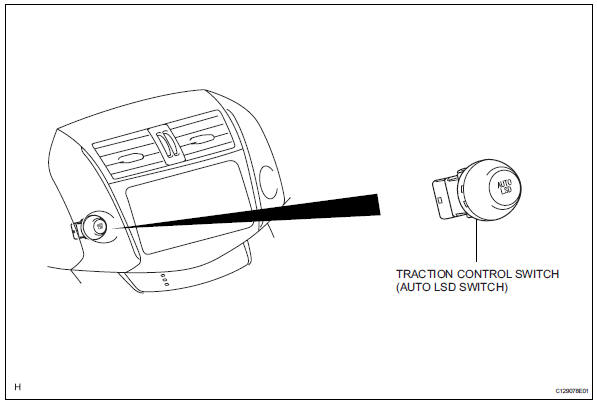
Removal
- Disconnect cable from negative battery terminal
Caution:
Wait at least 90 seconds after disconnecting the cable from the negative (-) battery terminal to prevent airbag and seat belt pretensioner activation.
- Remove traction control switch (auto lsd switch)
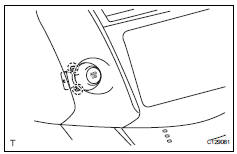
- Detach the 2 claws and remove the switch.
Inspection
- Check traction control switch (auto lsd switch)
- Measure the resistance of the switch.
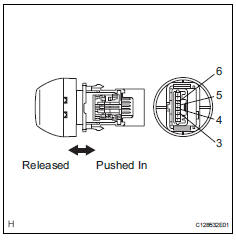
Standard resistance 
If the result is not as specified, replace the switch.
- Check illumination operation.
- Connect the battery's positive (+) lead to
terminal 5 and negative (-) lead to terminal 4.
Then check that the bulb illuminates.
Ok: bulb illuminates.
If the result is not as specified, replace the switch.
Installation
- Install traction control switch (auto lsd switch)
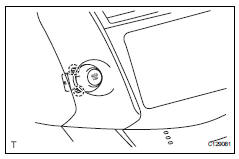
- Attach the 2 claws to install the switch.
- Connect cable to negative battery terminal
 Downhill assist control switch
Components
Removal
Disconnect cable from negative battery
terminal
Caution:
Wait at least 90 seconds after disconnecting the
cable from the negative (-) battery terminal to
prevent ai ...

Other materials:
Enabling/Disabling the
Parking Support Brake
The Parking Support Brake can
be enabled/disabled on the
screen of the multi-information
display. All of the Parking Support
Brake functions (static
objects and rear-crossing vehicles)
are enabled/disabled
simultaneously.
When the Parking Support Brake is
disabled, the PKSB OFF indicator
illuminat ...
Compressor solenoid circuit (2006/01- )
Description
In this circuit, the compressor receives a refrigerant compression demand
signal from the air conditioning
amplifier. Based on this signal, the compressor changes the degree of
refrigerant compression.
Hint:
*: Compressor and pulley for 2az-fe, compressor and magnetic clu ...
Fuel information
You must only use unleaded
gasoline in your vehicle.
Select octane rating 87
(Research Octane Number
91) or higher. Use of
unleaded gasoline with an
octane rating lower than 87
may result in engine knocking.
Persistent knocking
can lead to engine damage.
At minimum, the gasoline you
use should meet ...
