
Toyota RAV4 (XA40) 2013-2018 Owners Manual: What to do if... (Troubleshooting)
If there is a problem with the hands-free system or a bluetooth® device, first check the table below.
- When using the hands-free system with a bluetooth® device
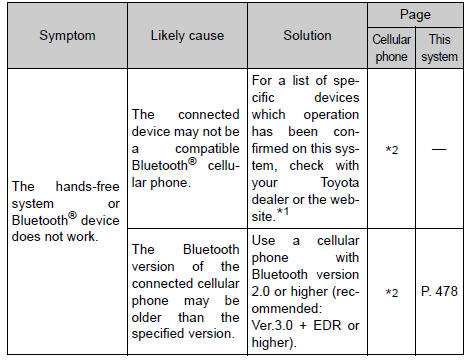
When registering/connecting a cellular phone
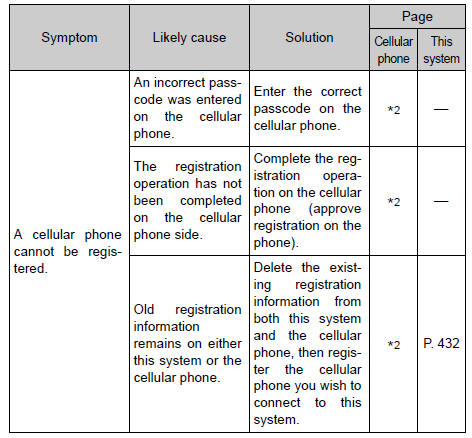
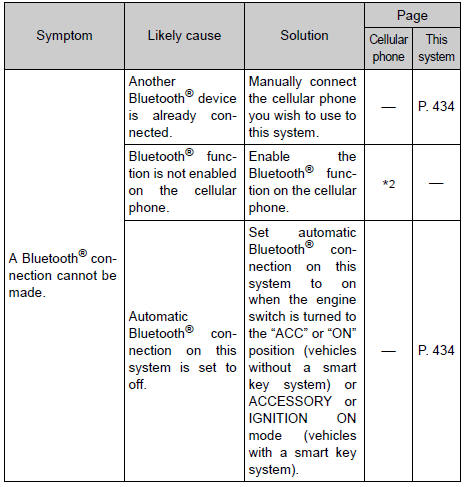
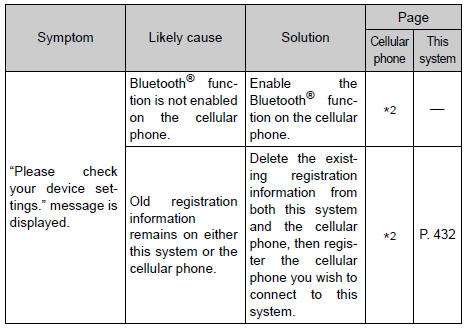
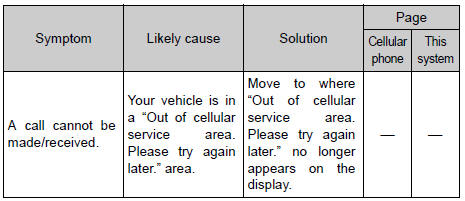
When making/receiving a call
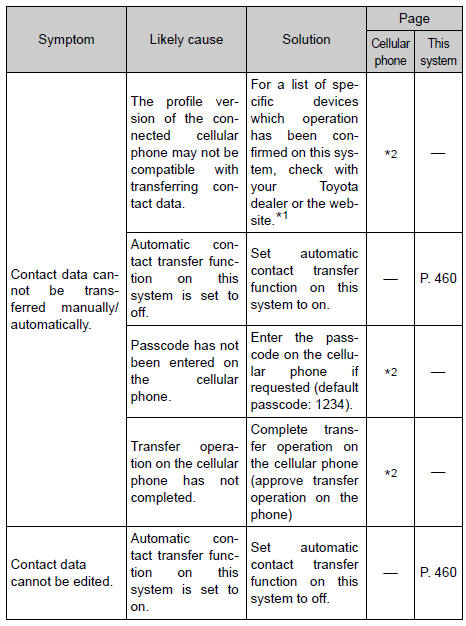
When using the contact list
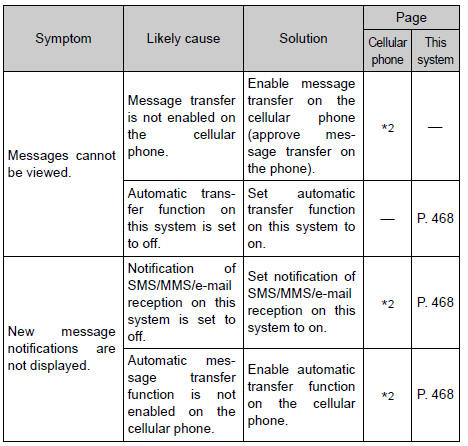
When using the bluetooth® message function (if equipped)
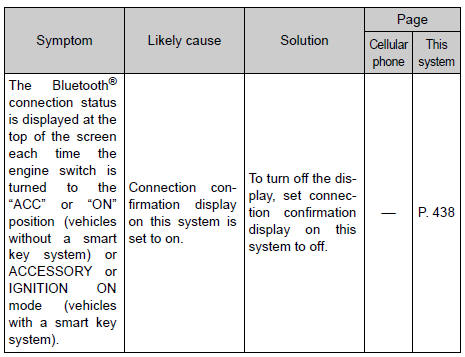
In other situations
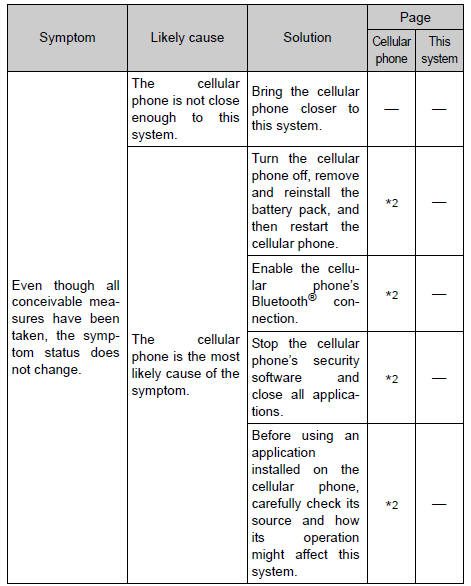
*1: Http://www.Toyota.Com/entune/
*2: For details, refer to the owner’s manual that came with the cellular phone.
 Contact/call history
settings
Contact/call history
settings
The contact can be transferred from a bluetooth® phone to the system.
The contact also can be added, edited and deleted.
The call history can be deleted and contact and favorites can be
change ...
 Bluetooth®
When using the bluetooth® audio system
In the following conditions, the system may not function.
If the portable audio player is turned off
If the portable audio player is not connected
If t ...
Other materials:
Removal
Hint:
Use the same procedures for the rh side and lh side.
The procedures listed below are for the lh side.
Disconnect cable from negative battery
terminal
Caution:
Wait at least 90 seconds after disconnecting the
cable from the negative (-) battery terminal to
prevent airbag and ...
Driving the vehicle
The following procedures
should be observed to
ensure safe driving:
Driving procedure
â– Driving
1. With the brake pedal
depressed, shift the shift
lever to D.
2. Release the parking brake.
If the parking brake is in automatic
mode, the parking brake will be
released automatically.
3. Gradually re ...
Catalyst system efficiency below threshold (bank 1)
Monitor description
The ecm uses sensors mounted in front of and behind the three-way catalytic
converter (twc) to
monitor its efficiency.
The first sensor, the air-fuel ratio (a/f) sensor, sends pre-catalyst
information to the ecm. The second
sensor, the heated oxygen (ho2) sensor, se ...
