
Toyota RAV4 (XA40) 2013-2018 Service Manual: Parts location
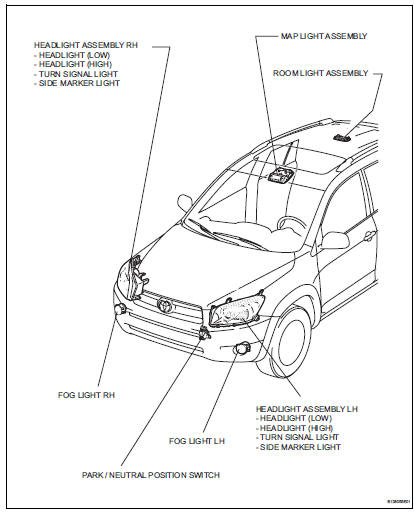
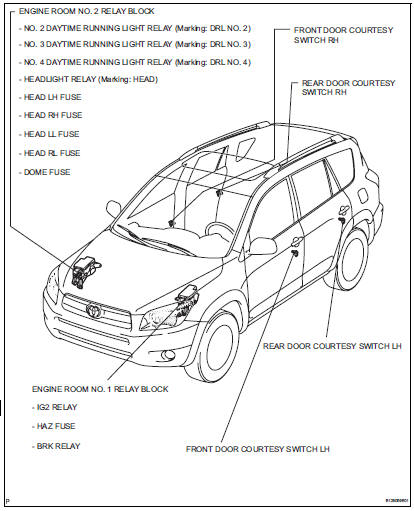
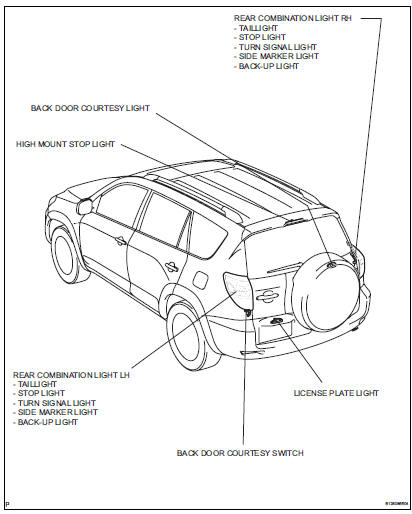
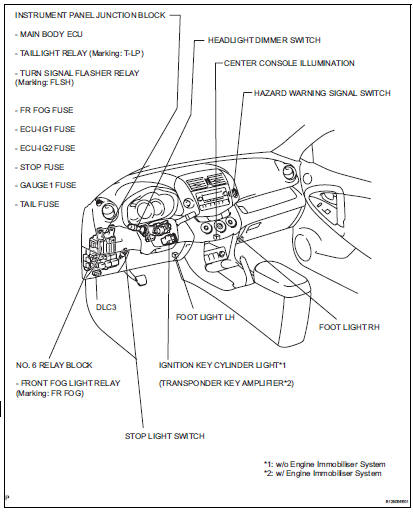
System diagram
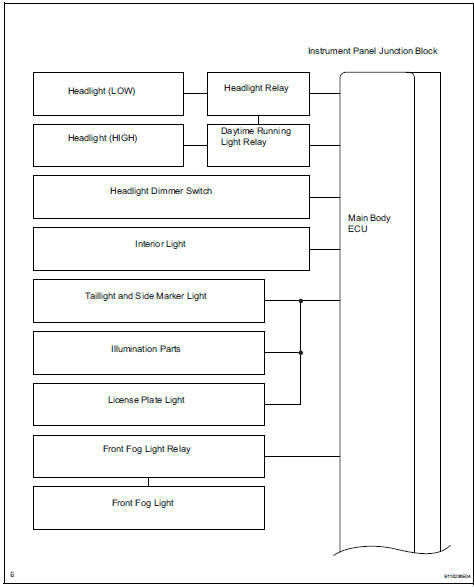
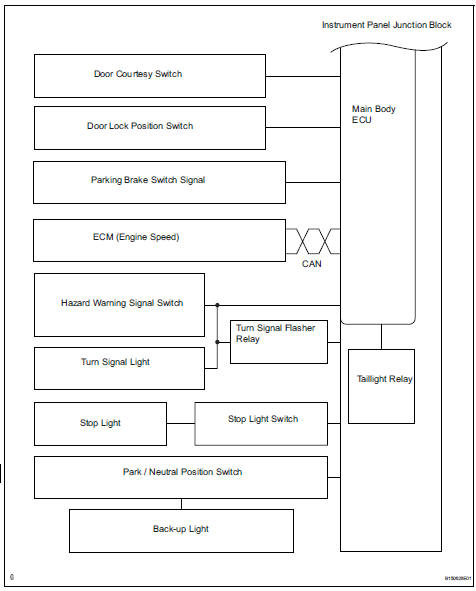
 Lighting system
...
 System description
Lighting system
Illumination control system (illuminated entry
system):
When the doors are unlocked by a key or
transmitter operation, or when a door is opened or
closed, the illuminat ...
Other materials:
Displaying a bluetooth®
device details
You can confirm and change the registered device details.
Bluetooth® device registration status
Display the “bluetooth* setup� screen.
*: Bluetooth is a registered trademark of bluetooth sig, inc.
Select the device.
Select “device info�.
Following screen is displayed:
...
Only rear door lh lock / unlock functions do not operate
Description
The main body ecu receives lock / unlock switch signals and activates the
door lock motor accordingly.
Wiring diagram
Inspection procedure
Inspect rear door with motor lock assembly lh
Apply the battery voltage to the door lock motor and
check the operation of th ...
Removal
Hint:
Use the same procedures for the rh side and lh side.
The procedures listed below are for the lh side.
Remove rear wheel
Remove rear stabilizer link assembly lh
Remove the nut and disconnect the link from the
suspension no. 2 Arm.
Remove the nut and link from the sta ...
