
Toyota RAV4 (XA40) 2013-2018 Service Manual: Ignition coil
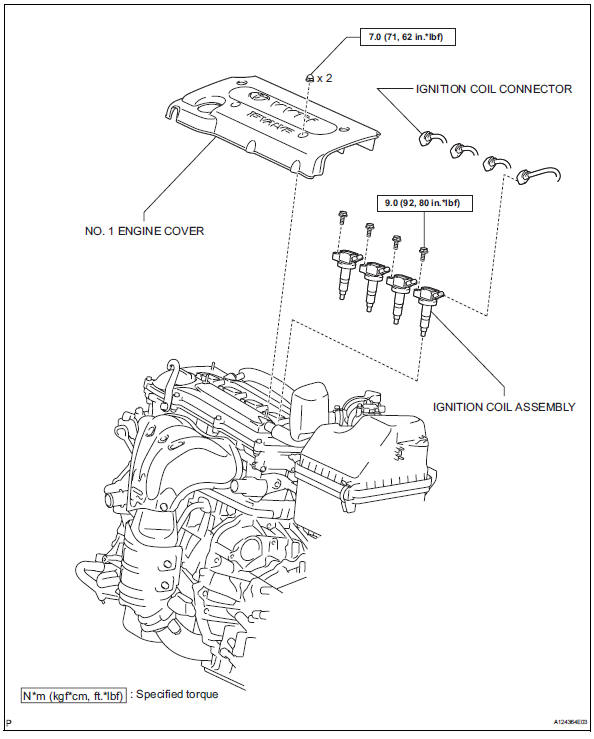
Components
Removal
- Disconnect cable from negative battery terminal
Caution:
Wait at least 90 seconds after disconnecting the cable from the negative (-) battery terminal to prevent airbag and seat belt pretensioner activation.
- Remove no. 1 Engine cover (see page es-410)
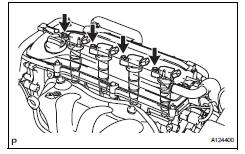
- Remove ignition coil assembly
- Disconnect the 4 ignition coil connectors.
- Remove the 4 bolts and 4 ignition coils.
Installation
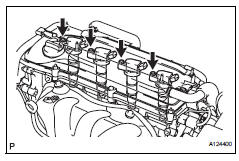
- Install ignition coil assembly
- Install the 4 ignition coils with the 4 bolts.
Torque: 9.0 N*m (92 kgf*cm, 80 in.*Lbf)
- Connect the 4 ignition coil connectors.
- Install no. 1 Engine cover (see page es-414)
- Connect cable to negative battery terminal
 On-vehicle inspection
Check ignition coil assembly and perform spark test
Notice:
in this section, the terms "cold" and "hot" refer to
the temperature of the coils. "Cold" means
appro ...
 Starting system
Parts location
System diagram
The starting system rotates the starter motor according to the
signals from the ignition switch and pnp switch.
...
Other materials:
Diagnosis system
Description
The ecm controls the function of cruise control on this
vehicle. Data of the cruise control or dtc can be read
from the dlc3 of the vehicle. When trouble occurs with
cruise control, check that the cruise main indicator
does not come on but dtc inspection is performed.
Theref ...
Compressor and pulley (for 2az-fe)
Components
Removal
Discharge refrigerant from
refrigeration system (see page ac-172)
Disconnect cable from negative battery
terminal
Caution:
Wait at least 90 seconds after disconnecting the
cable from the negative (-) battery terminal to
prevent airbag and seat belt pretensione ...
Refueling
Opening the fuel tank cap
Perform the following steps
to open the fuel tank cap:
Before refueling the vehicle
Close all the doors and windows,
and turn the engine
switch to OFF.
Confirm the type of fuel.
â– Fuel tank opening for unleaded
gasoline
To help prevent incorrect fueling,
your vehicle ...
