
Toyota RAV4 (XA40) 2013-2018 Service Manual: Parts location (2006/01- )
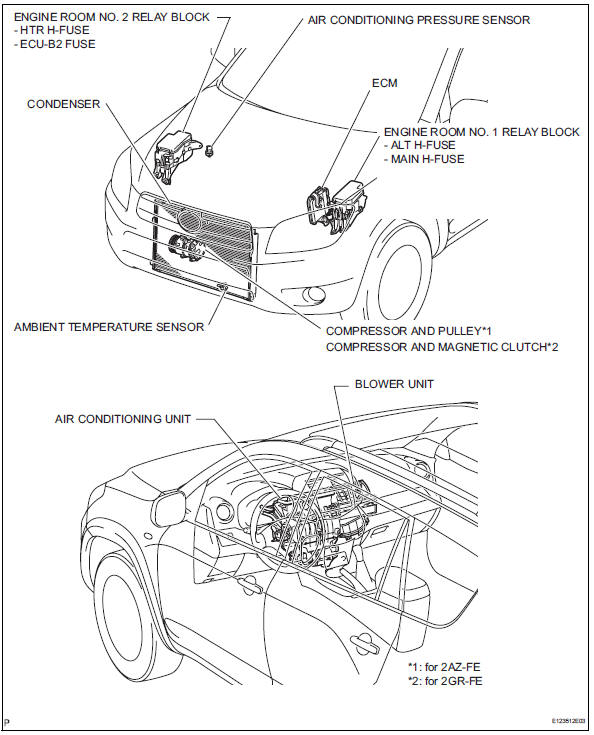
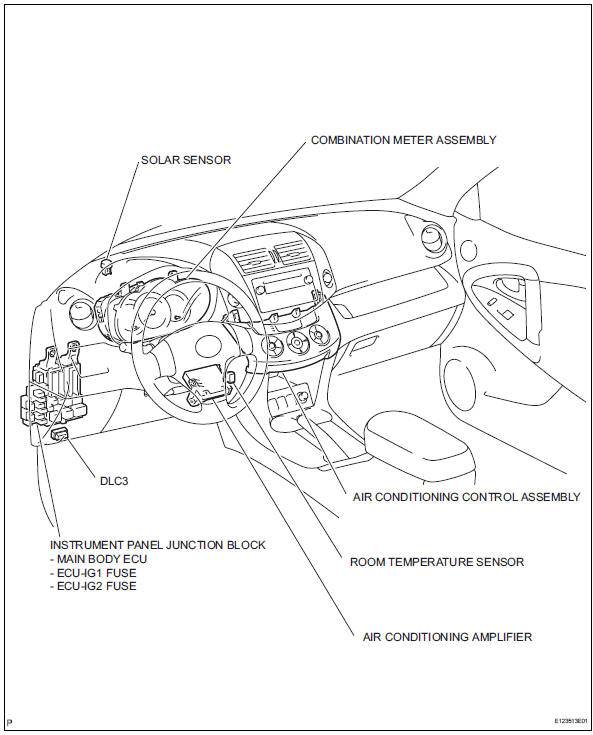
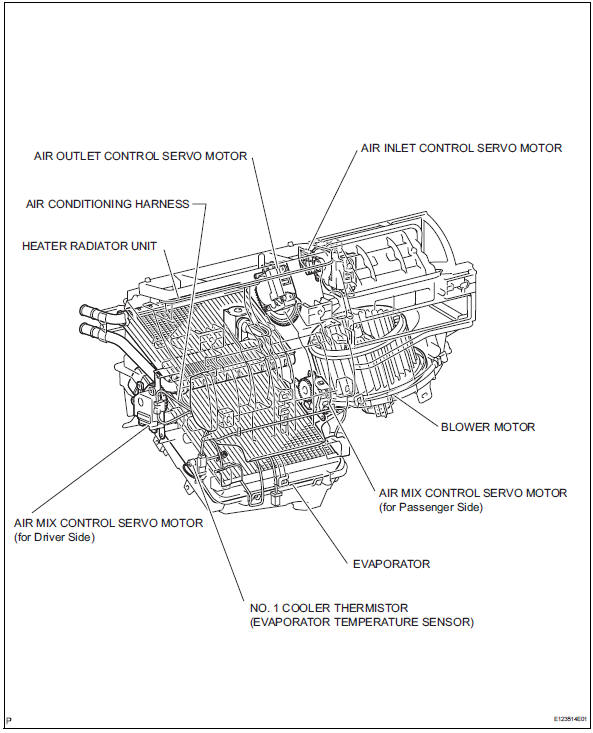

 System diagram
System diagram (2005/11-2006/01)
System diagram (2006/01- )
...
Other materials:
Engine immobilizer system
The vehicle's keys have
built-in transponder chips
that prevent the engine from
starting if a key has not
been previously registered
in the vehicle's on-board
computer.
Never leave the keys inside
the vehicle when you leave
the vehicle.
This system is designed to
help prevent vehicle theft but
does ...
Front drive shaft assembly (for 4wd)
Components (2005/11-2006/01)
Components (2006/01- )
...
Checking tires
Check if the treadwear indicators
are showing on the tires.
Also check the tires for uneven
wear, such as excessive wear
on one side of the tread.
Check the spare tire condition
and pressure if not rotated.
New tread
Worn tread
Treadwear indicator
The location of treadwear indicators
is show ...
