
Toyota RAV4 (XA40) 2013-2018 Service Manual: System diagram
System diagram (2005/11-2006/01)
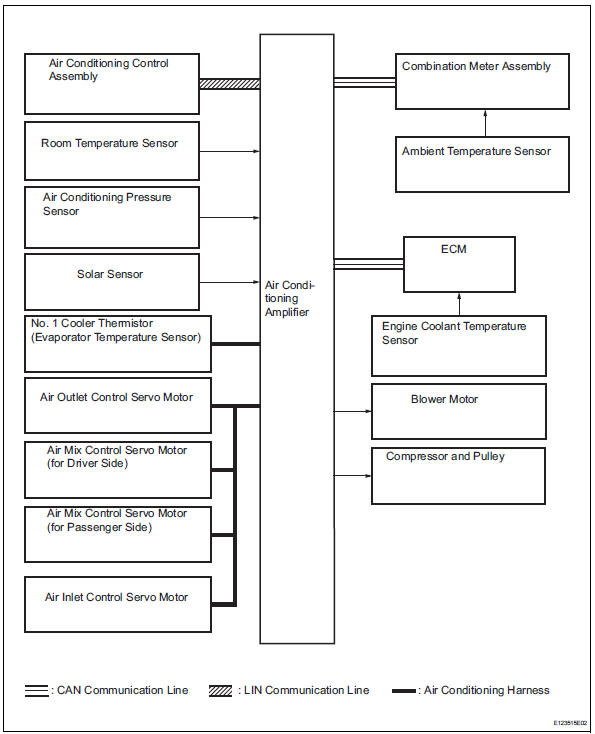
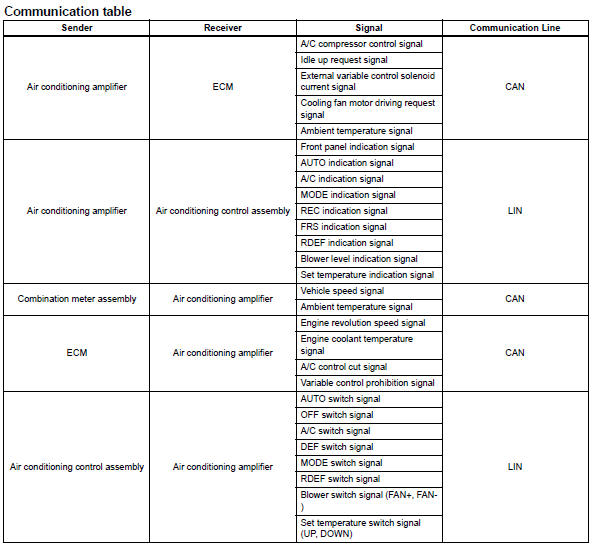
System diagram (2006/01- )
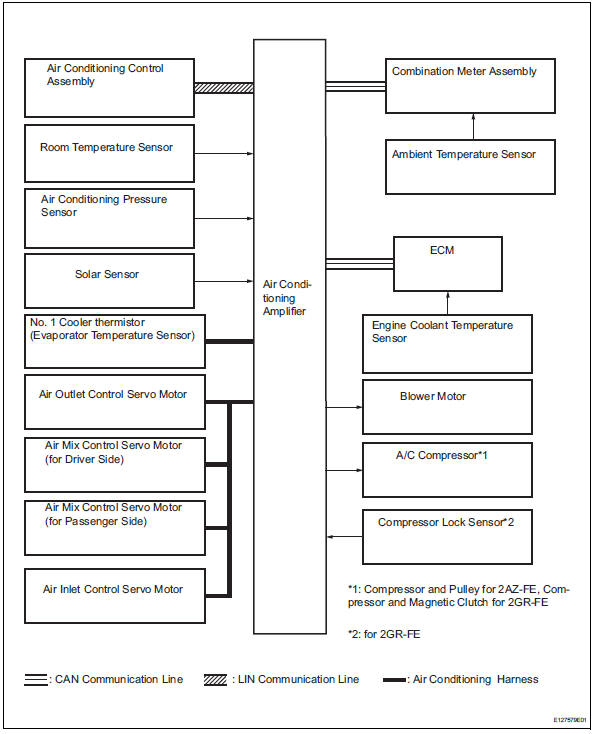
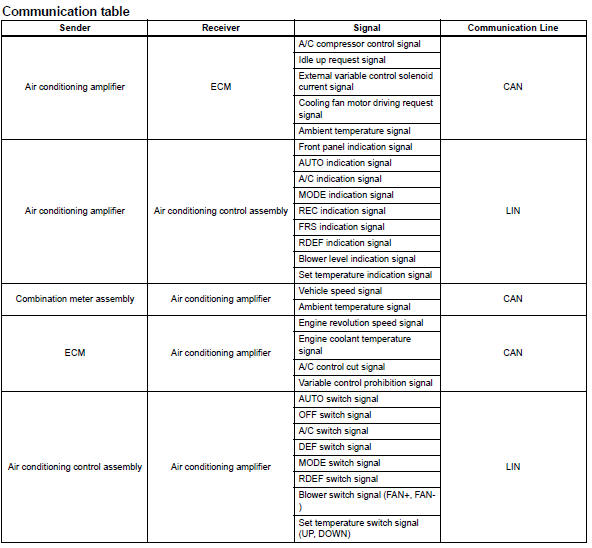

 System description
General
The air conditioning system has the following
features:
In accordance with the temperature set using the
temperature control switch, the air conditioning
amplifier determi ...
Other materials:
Abs warning light remains on
Description
If any of the following conditions are detected, the abs warning light
remains on:
The ecu connectors are disconnected from the skid control ecu.
There is a malfunction in the skid control ecu internal circuit.
There is an open or short in the wire harness between the combinat ...
Installing child restraints using a seat belt (child restraint lock
function belt)
Rear-facing „o infant seat/convertible seat
Adjust the seatback to the
8th lock position from the
fully reclined position.
Fully reclined position
8Th lock position
If your child restraint system interferes with a head restraint and
cannot be installed properly, install the ...
Disassembly
Remove no. 1 Side defroster nozzle duct
Remove the 3 screws and duct.
Remove no. 2 Side defroster nozzle duct
Remove the 3 screws and duct.
Remove no. 1 Heater to register duct
Remove the screw and duct.
Remove no. 2 Heater to register duct
...
