
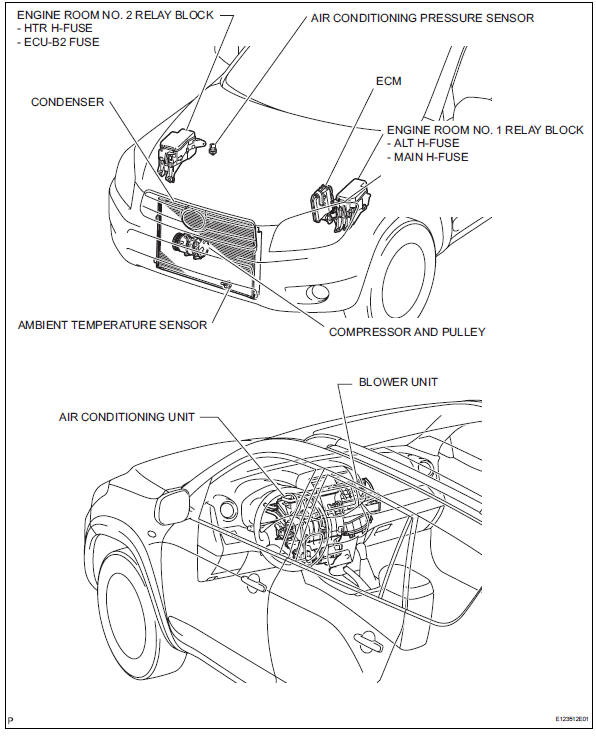
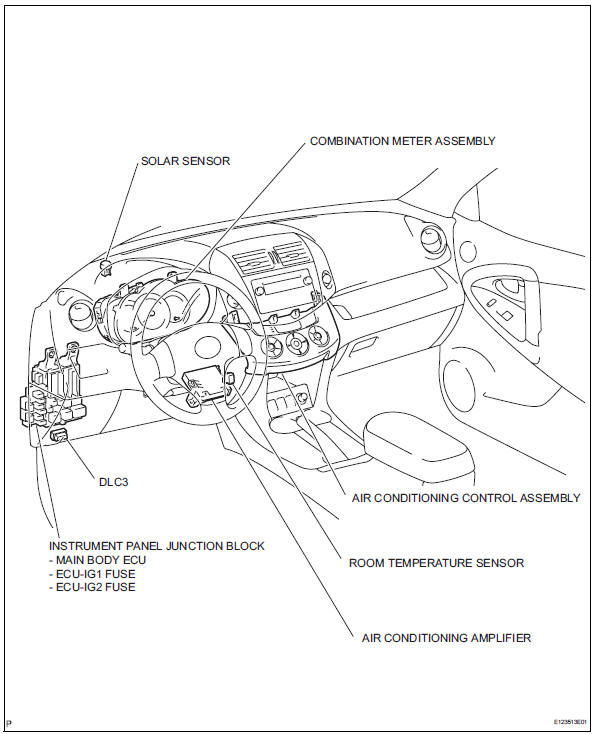
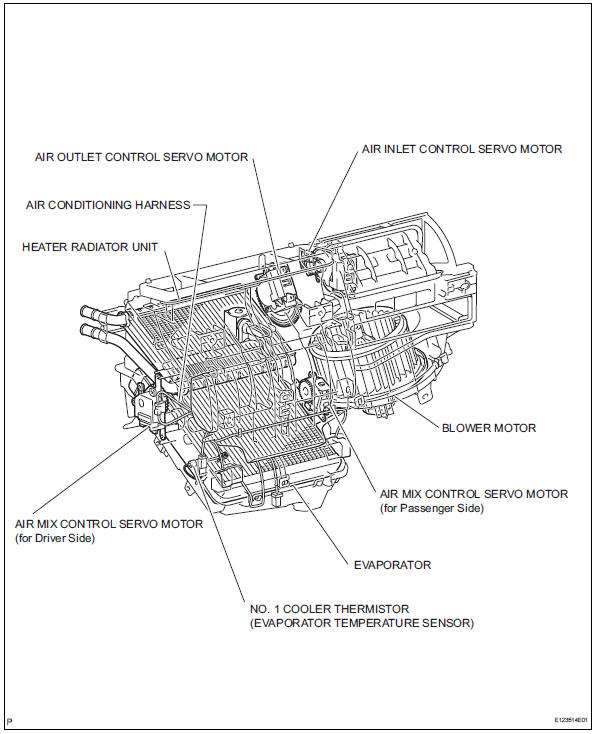
Toyota RAV4 (XA40) 2013-2018 Service Manual: Parts location (2005/11-2006/01)
 Precaution
If any of following conditions are met,
keep engine idling with a/c on (engine
speed at less than 2000 rpm) for at least 1
minute:
Refrigerant gas has been refilled or a/c parts have
...

Other materials:
Check for short circuit
If the wire harness is ground shorted (fig. 5), Locate
the section by conducting a resistance check with
the body ground (below).
Check the resistance with the body ground.
Disconnect connectors a and c, and measure
the resistance
Standard resistance (fig. 6)
Hint:
Measure ...
Installation
(2005/11-2006/01)
Install front drive shaft assembly lh
Coat the spline of the inboard joint shaft with gear
oil.
Using a brass bar and hammer, align the shaft
splines in the drive shaft.
Notice:
Set the snap ring with the opening side facing
downwards.
Be careful not to damage the oil s ...
Precaution
Notice:
Take extra care to replace each part properly. Improper
installation or repair could affect the performance of
the brake system and cause a driving hazard.
It is very important to keep the brake system parts and
the work area clean when repairing the brake system.
If the vehicl ...
