
Toyota RAV4 (XA40) 2013-2018 Owners Manual: What to do if... (Troubleshooting)
If there is a problem with the hands-free system or a bluetooth® device, first check the table below.
- When using the hands-free system with a bluetooth® device
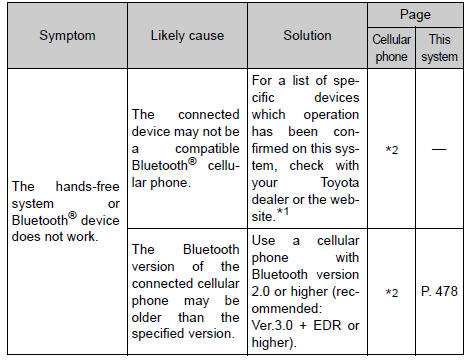
When registering/connecting a cellular phone
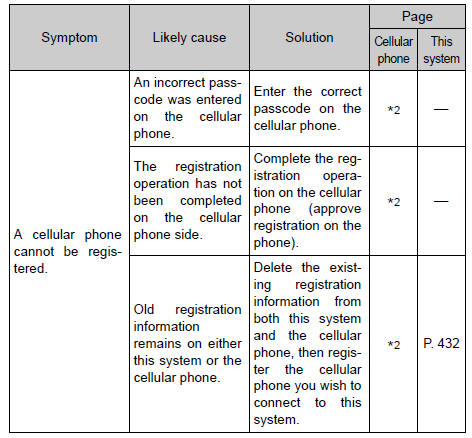
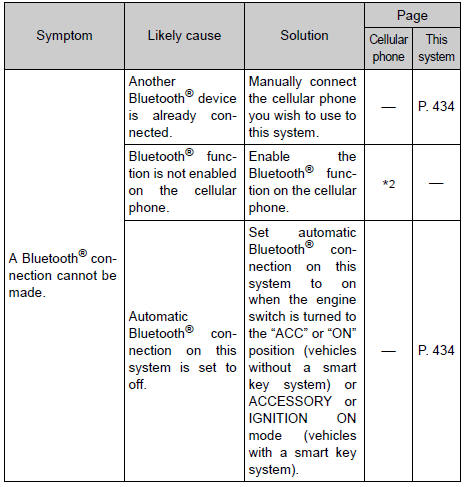
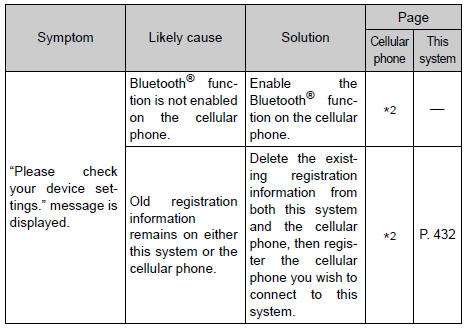
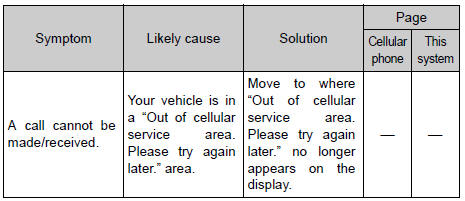
When making/receiving a call
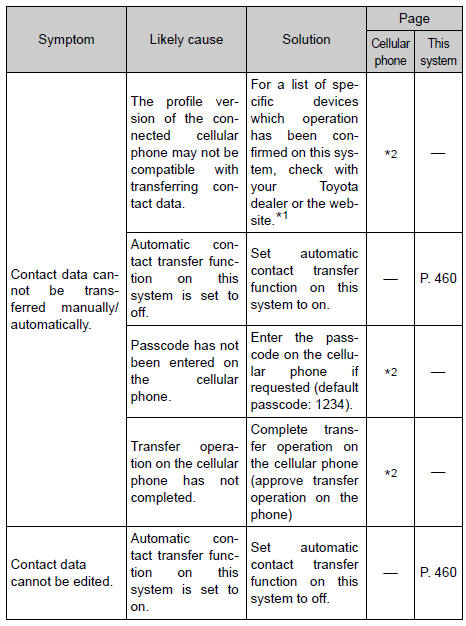
When using the contact list
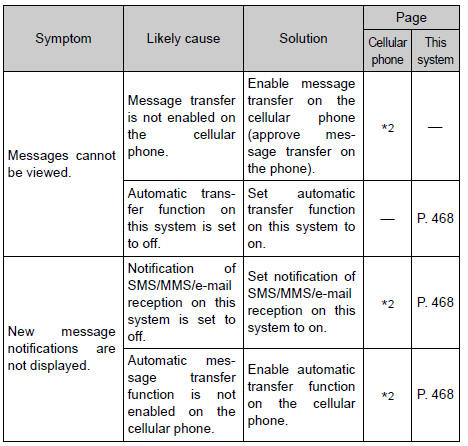
When using the bluetooth® message function (if equipped)
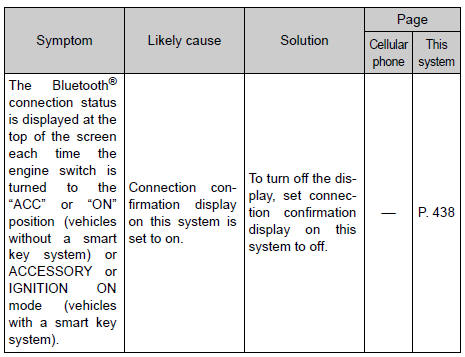
In other situations
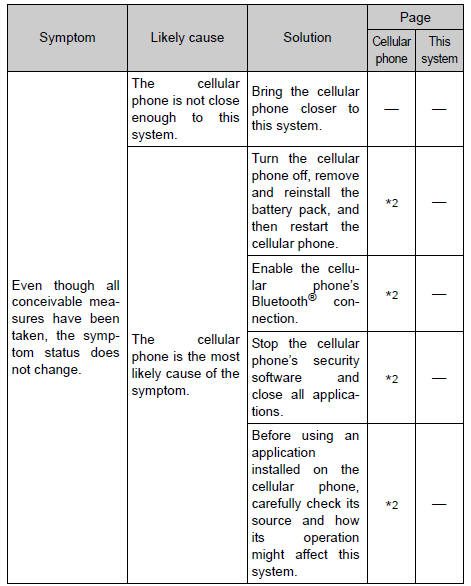
*1: Http://www.Toyota.Com/entune/
*2: For details, refer to the owner’s manual that came with the cellular phone.
 Contact/call history
settings
Contact/call history
settings
The contact can be transferred from a bluetooth® phone to the system.
The contact also can be added, edited and deleted.
The call history can be deleted and contact and favorites can be
change ...
 Bluetooth®
When using the bluetooth® audio system
In the following conditions, the system may not function.
If the portable audio player is turned off
If the portable audio player is not connected
If t ...
Other materials:
Problem symptoms table (2006/01- )
Hint:
Use the table below to help determine the cause of the
problem symptom. The potential causes of the symptoms are
listed in order of probability in the "suspected area" column
of the table. Check each symptom by checking the suspected
areas in the order they are listed. Replace p ...
If your vehicle overheats
The following may indicate
that your vehicle is overheating.
The engine coolant temperature
gauge shows the red zone or a
loss of engine power is
experienced. (For example,
the vehicle speed does not
increase.)
"Engine Coolant Temp High
Stop in a Safe Place See
Owner's Manual" is shown
on ...
No signal from transmitter id
Description
The tire pressure warning valve and transmitter constantly sends radio waves
to the tire pressure warning
ecu.
Under the following conditions, the tire pressure warning antenna and receiver
is unable to receive the
signals from the tire pressure warning valve and transmitte ...
