
Toyota RAV4 (XA40) 2013-2018 Service Manual: Data list
Hint:
By reading the data list displayed on an intelligent tester, values can be checked, including those of the switches, sensors, and actuators, without removing any parts. Reading the data list as the first step of troubleshooting is one method of shortening diagnostic time.
Notice:
In the table below, the values listed under normal condition are for reference only. Do not depend solely on these values when determining whether or not a part is faulty.
- Warm up the engine.
- Turn the ignition switch off.
- Connect the intelligent tester to the dlc3.
- Turn the ignition switch on.
- Turn the tester on.
- Select the following menu items: diagnosis / enhanced obd ii / data list
- Check the values by referring to the table below.
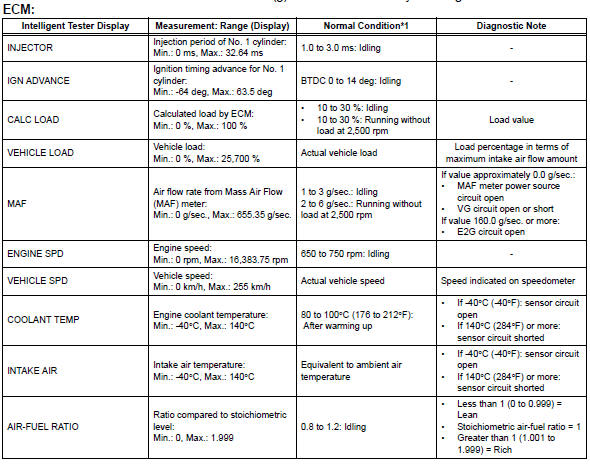
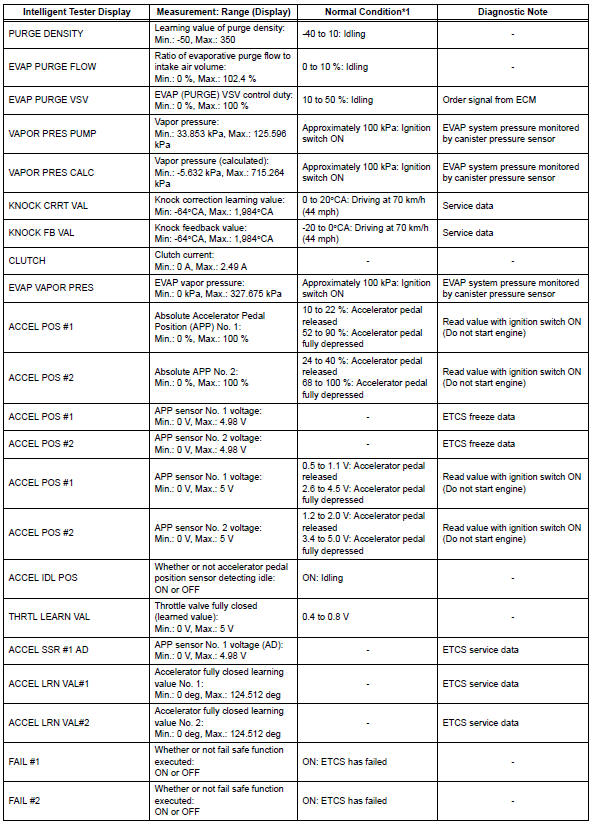
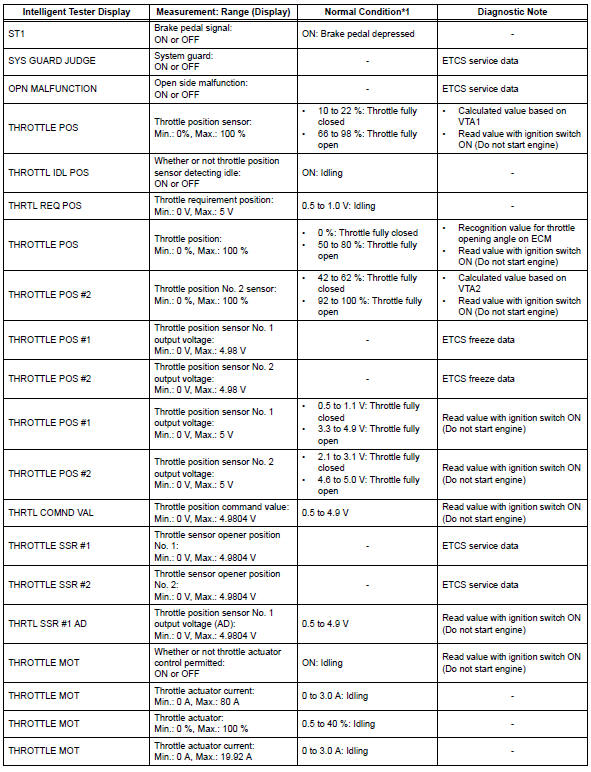
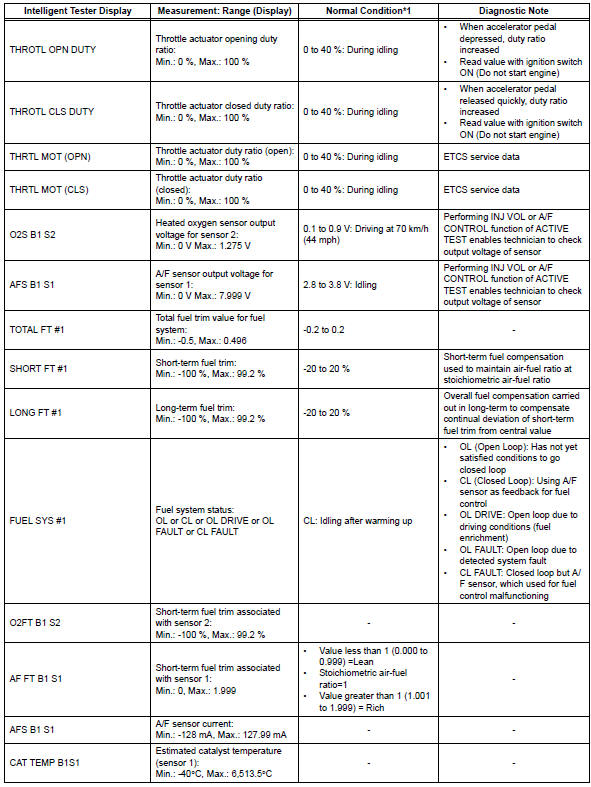
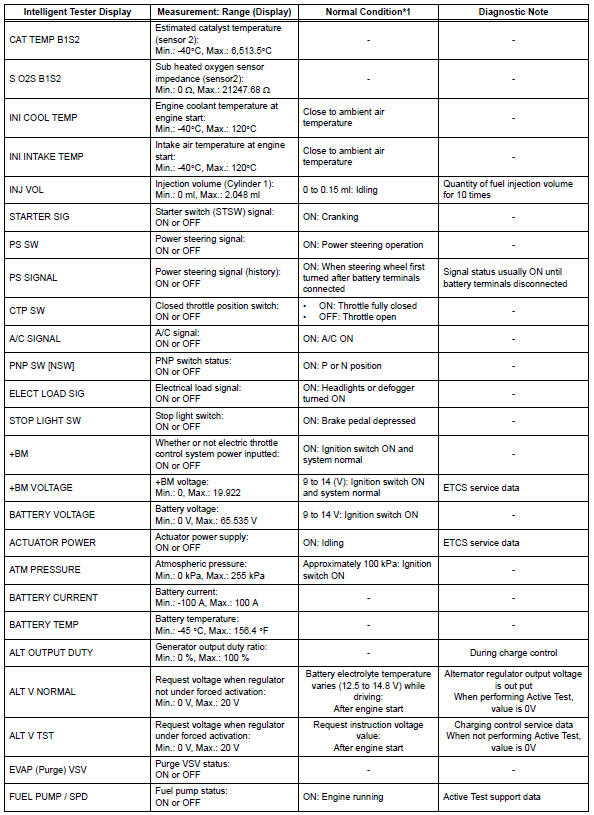
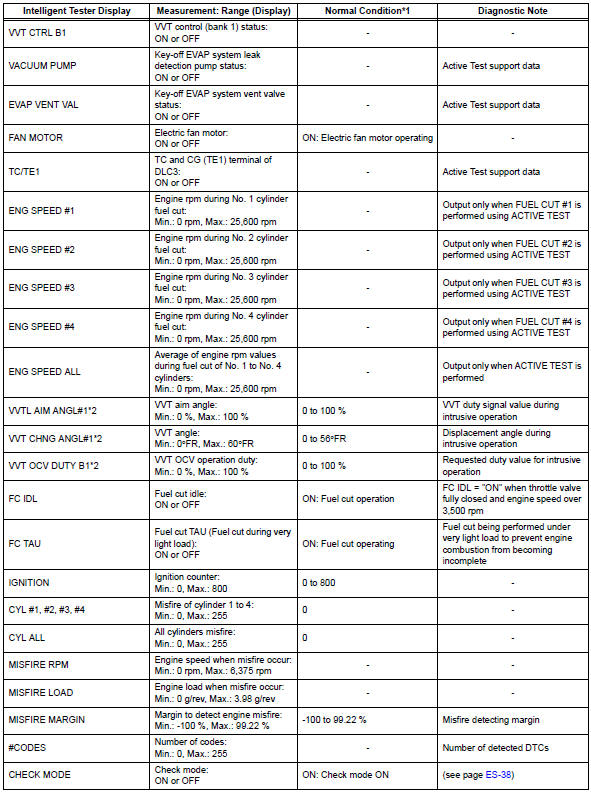
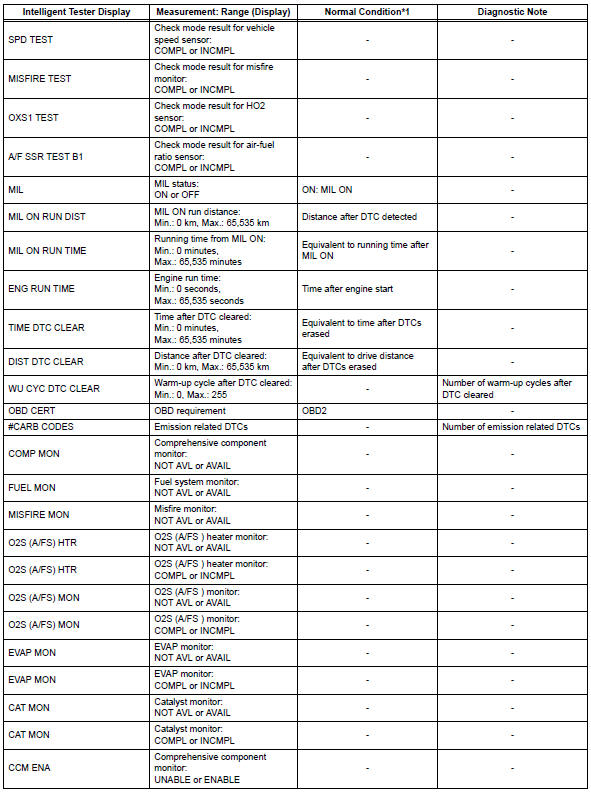
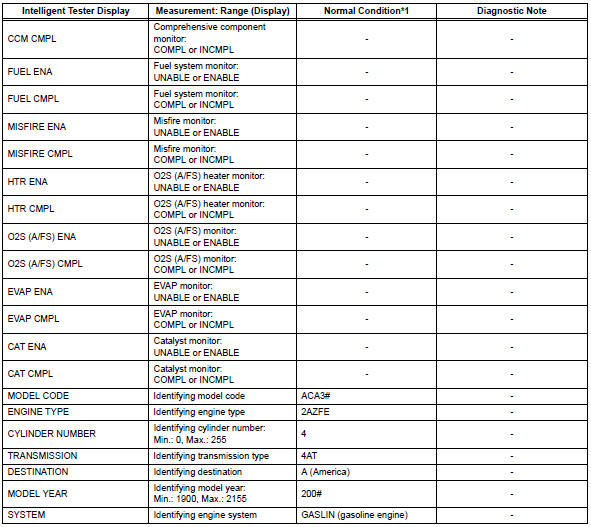
Hint:
- *1: If no idling conditions are specified, the transmission gear selector lever should be in the n or p position, and the a/c switch and all accessory switches should be off.
- *2: Data list values are only displayed when performing the following active test: vvt b1. For other active tests, the data list value will be 0.

 Active test
Hint:
Performing an active test enables components
including the relays, vsv (vacuum switching valve) and
actuators, to be operated without removing any parts.
The active test can be performed w ...
Other materials:
Function summary
The following operations can be performed simply by carrying the
electronic key on your person, for example in your pocket. (The driver
should always carry the electronic key.)
Locks and unlocks the side doors
Locks and unlocks the back door
Starts the engine
Operation signals
A bu ...
Valve clearance
Adjustment
Disconnect cable from negative battery
terminal
Caution:
Wait at least 90 seconds after disconnecting the
cable from the negative (-) battery terminal to
prevent airbag and seat belt pretensioner activation.
Remove front wheel rh
Remove no. 1 Engine under cover
Remove ...
Rear power outlet socket
Components
Removal
Disconnect cable from negative battery
terminal
Caution:
Wait at least 90 seconds after disconnecting the
cable from the negative (-) battery terminal to
prevent airbag and seat belt pretensioner activation.
Remove rear door scuff plate lh (see page
ir-2 ...
