
Toyota RAV4 (XA40) 2013-2018 Service Manual: Front speed sensor
Components
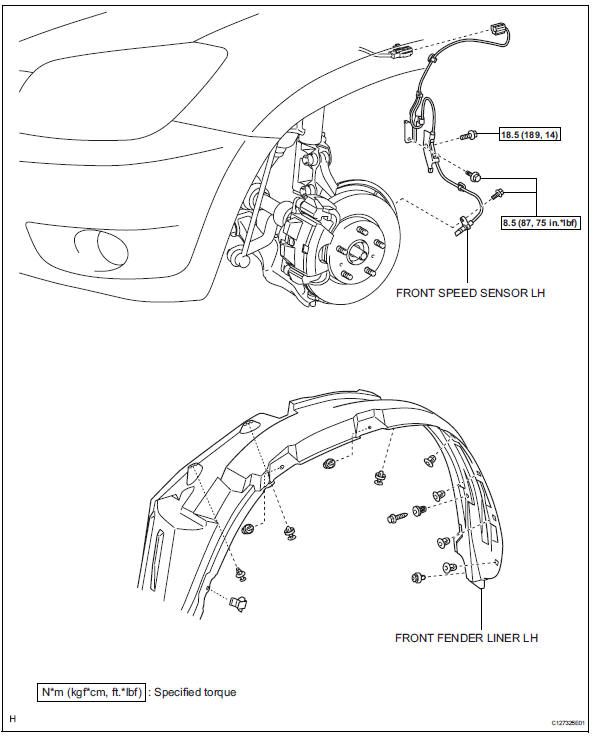
Removal
Hint:
- Use the same procedures for the lh side and rh side.
- The procedures listed below are for the lh side.
- Disconnect cable from negative battery terminal
Caution:
Wait at least 90 seconds after disconnecting the cable from the negative (-) battery terminal to prevent airbag and seat belt pretensioner activation.
- Remove front wheel
- Remove front fender liner lh
- Remove front speed sensor lh
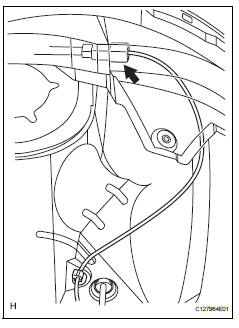
- Disconnect the sensor connector.
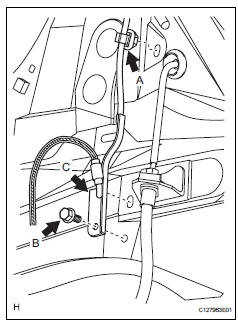
- Remove the sensor clip (labeled a), bolt (labeled b) and sensor clamp (labeled c).
- Remove the sensor clip (labeled d), bolt (labeled e) and sensor clamp (labeled f).
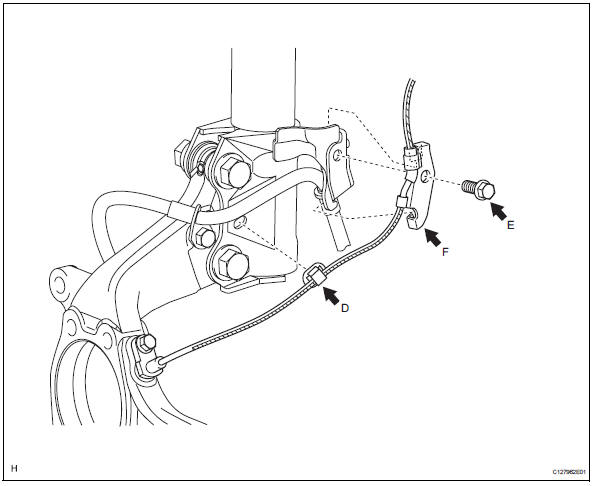
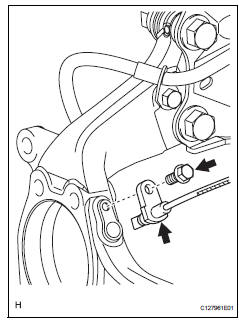
- Remove the bolt and sensor body from the knuckle.
Notice:
Keep the sensor tip and sensor installation hole free from foreign matter.
 Installation (2005/11-2006/01)
Install abs and traction actuator assembly with bracket
Notice:
Do not remove the hole plug before connecting the
brake tube. New actuators are filled with brake fluid.
Install the actuato ...
 Installation (2006/01- )
Install abs and traction actuator assembly with bracket
Notice:
do not remove the hole plug before connecting the
brake tube. new actuators are filled with brake fluid.
Install the actuato ...
Other materials:
Components
...
The keys
The following keys are provided with the vehicle.
Vehicles without a smart key system (type a)
Master keys
Operating the wireless remote control
function
Valet key
Key number plate
Vehicles without a smart key system (type b)
Master keys
Operating the wireless r ...
Throttle actuator control motor circuit
Description
The throttle actuator is operated by the ecm and opens and closes the
throttle valve using gears.
The opening angle of the throttle valve is detected by the throttle position (tp)
sensor, which is mounted
on the throttle body. The tp sensor provides feedback to the ecm. This ...
