
Toyota RAV4 (XA40) 2013-2018 Owners Manual: Selecting the driving mode
The following modes can be selected to suit driving conditions.
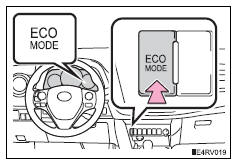
Eco drive mode
Use eco drive mode to help achieve low fuel consumption during trips that involve frequent accelerating.
Press the “eco mode� button to select eco drive mode.
The “eco mode� indicator comes on.
Press the button again to cancel eco drive mode.
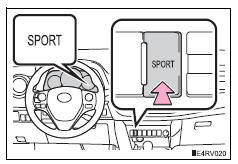
Sport mode
Use sport mode for sporty driving or driving in mountainous regions.
Press the “sport� button to select sport mode.
The “sport� indicator comes on.
Press the button again to cancel sport mode.
 Shift position purpose
*1: Shifting the shift lever to d allows the system to select a gear suitable
for
the driving conditions.
Setting the shift lever to d is recommended for normal driving.
*2: Selecting shi ...
 Selecting shift ranges in the s position
To enter s mode, shift the shift lever to s. Shift ranges can be selected
by operating the shift lever, allowing you to drive in the shift range of
your choosing. The shift range can be selected by ...
Other materials:
Precaution
Precaution for vehicle with srs airbag and
seat belt pretensioner
Some operations in this section may affect the srs
airbags and seat belt pretensioner. Prior to
performing the corresponding operations, read the
srs airbag notice (see page rs-1).
Components
...
Reassembly (2006/01- )
Install front drive shaft bearing (for rh)
Install the bearing bracket snap ring to the inboard
shaft.
Using sst and a press, press in the drive shaft
bearing to the inboard joint rh.
Sst 09527-10011, 09710-04081
Notice:
The bearing should be installed completely.
Usi ...
Armrest
Front (vehicles with slide function)
Slide the console box lid forward
or backward as needed.
Pull the lid forward by holding
the front of the lid.
Rear
Fold down the armrest for use.
Notice
To prevent damage to the armrest
Do not apply too much load on the armrest. ...
