
Toyota RAV4 (XA40) 2013-2018 Service Manual: Terminals of ecu
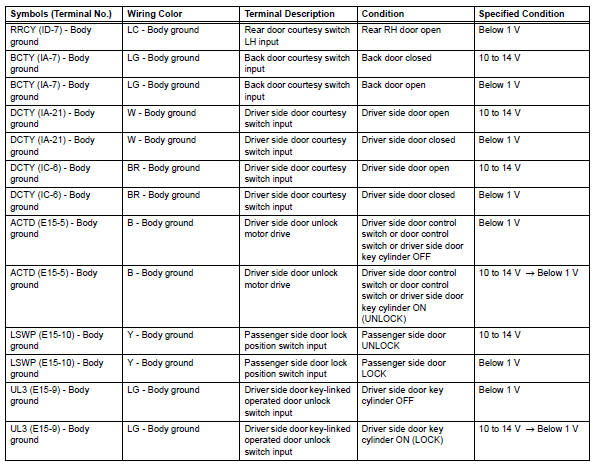
- Check instrument panel junction block (main body ecu)
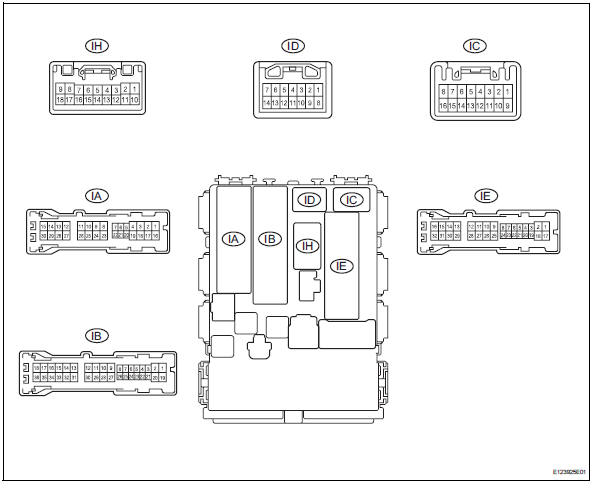
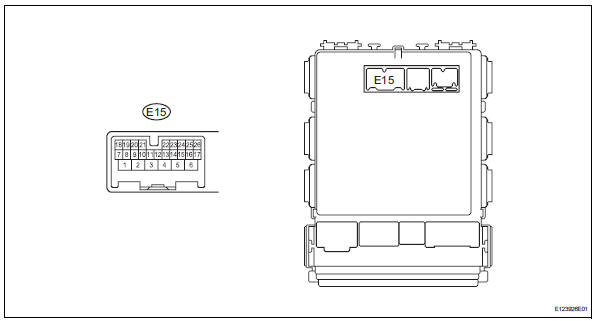
- Disconnect the ib and ie junction block connectors.
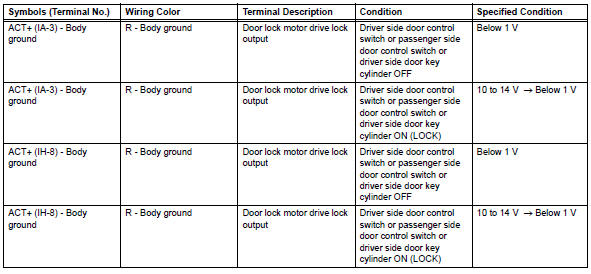
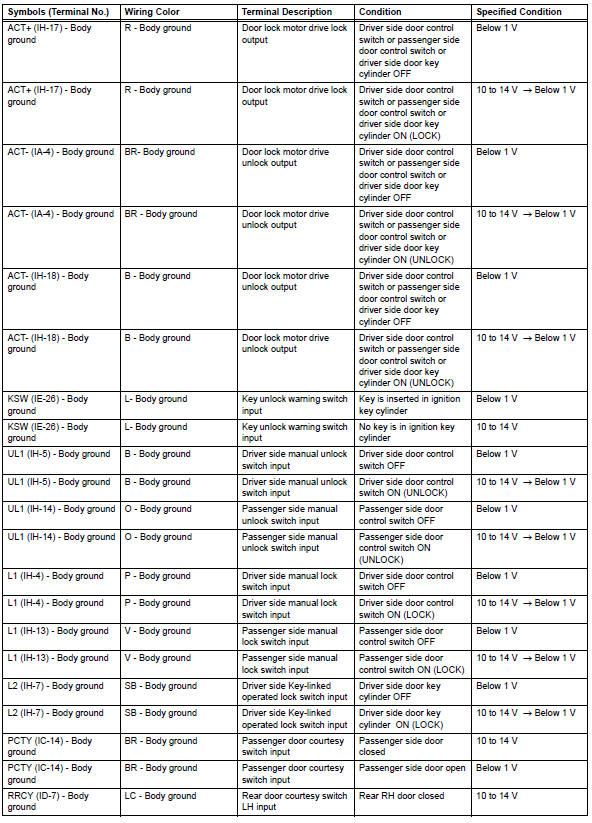
- Measure the voltage and resistance of the wire harness side connectors.

- Reconnect the ib and ie junction block connector.
- Measure the voltage of the wire harness side connectors.
 Problem symptoms table
Hint:
Use the table below to help determine the cause of the
problem symptom. The potential causes of the symptoms are
listed in order of probability in the "suspected area" column
of th ...
 Diagnosis system
Description
Power door lock control system data can be read in the
data link connector 3 (dlc3) of the vehicle. When the
system seems to be malfunctioning, use the intelligent
tester to check ...
Other materials:
Motor terminal voltage malfunction
Description
The power steering ecu supplies the current to the power steering motor
through the motor circuit.
Wiring diagram
Inspection procedure
Read value of intelligent tester (motor voltage)
Connect the intelligent tester (with can vim) to the
dlc3.
Turn the ignitio ...
Precaution
Precaution for vehicle with srs airbag and
seat belt pretensioner
Some operations in this section may affect the srs
airbags and seat belt pretensioner. Prior to
performing the corresponding operations, read the
srs airbag notice (see page rs-1).
Components
...
Components
Fuse boxes
Engine oil filler cap
Engine oil level dipstick
Battery
Brake fluid reservoir
Radiator
Electric cooling fan
Condenser
Washer fluid tank
Engine coolant reservoir
Checking the engine oil
With the engine at operating
temperature and turned off,
check the oil level on the di ...
