
Toyota RAV4 (XA40) 2013-2018 Service Manual: Components
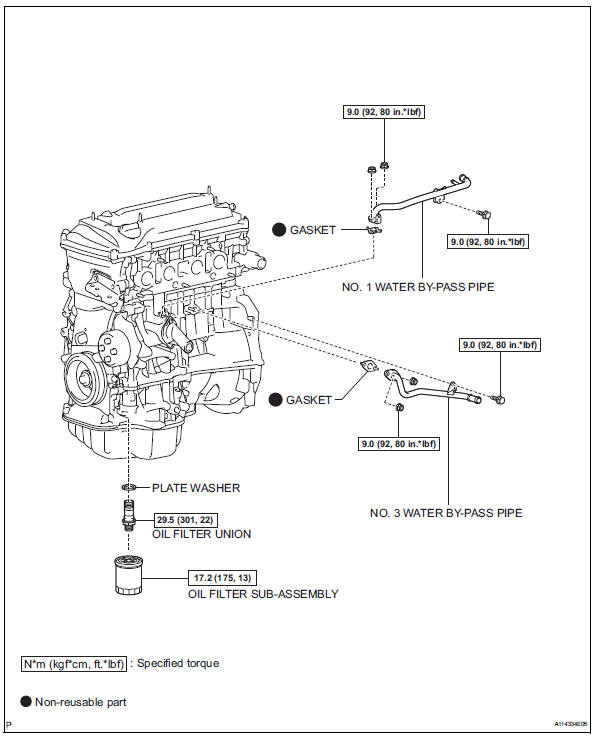
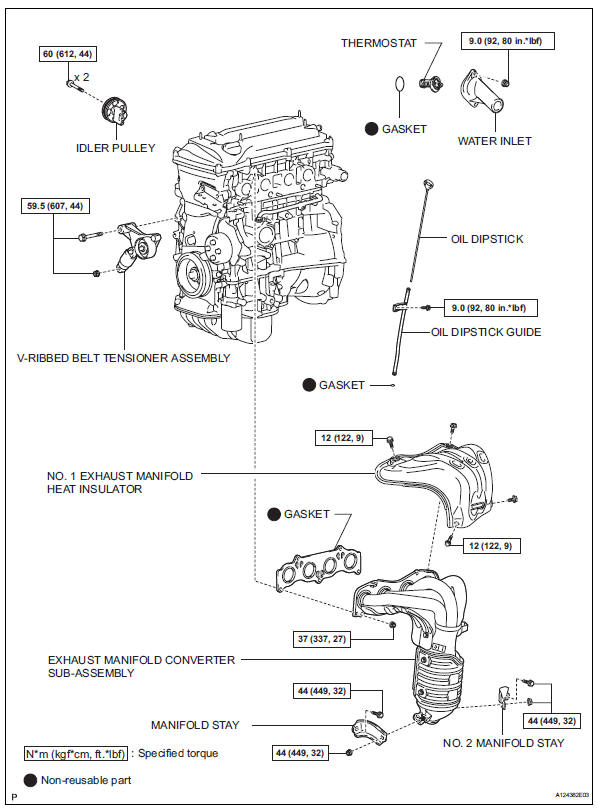
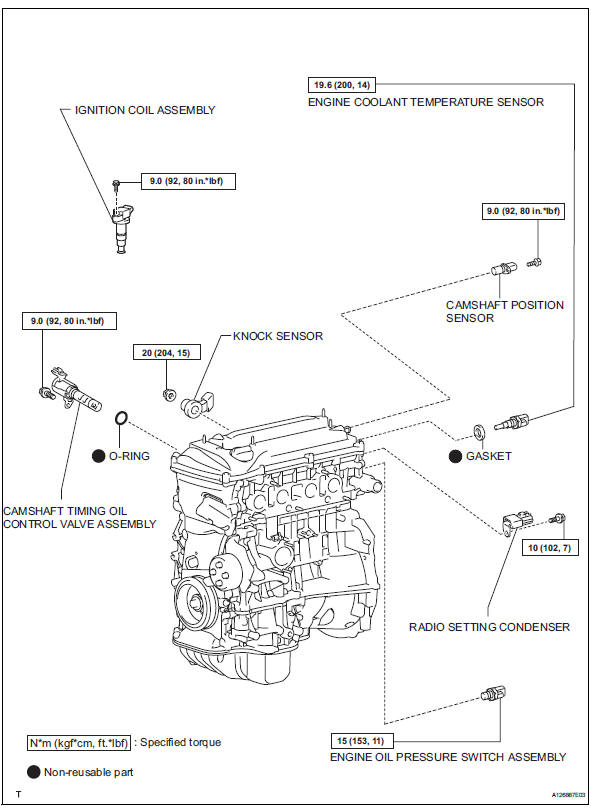
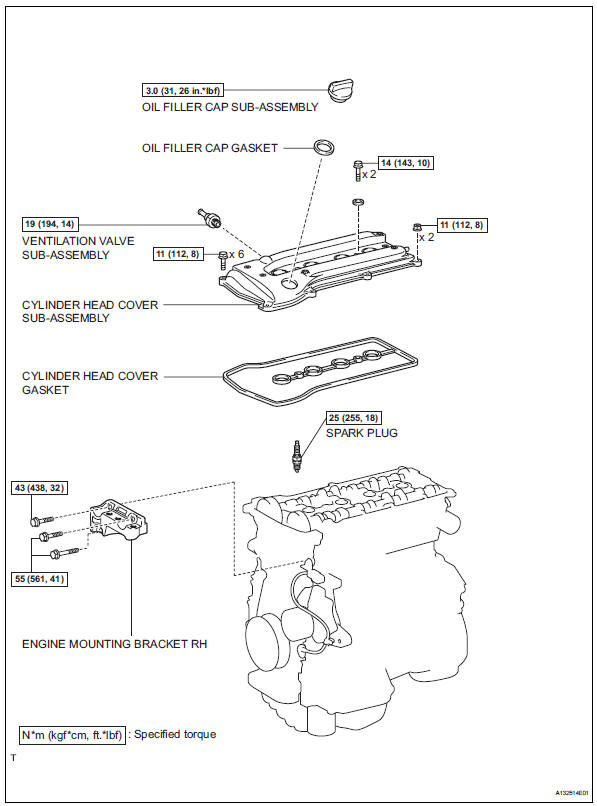
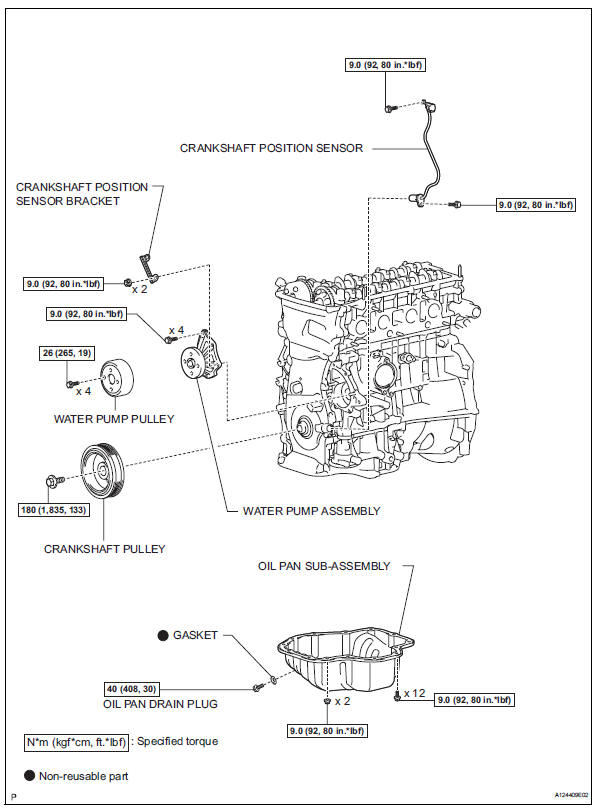
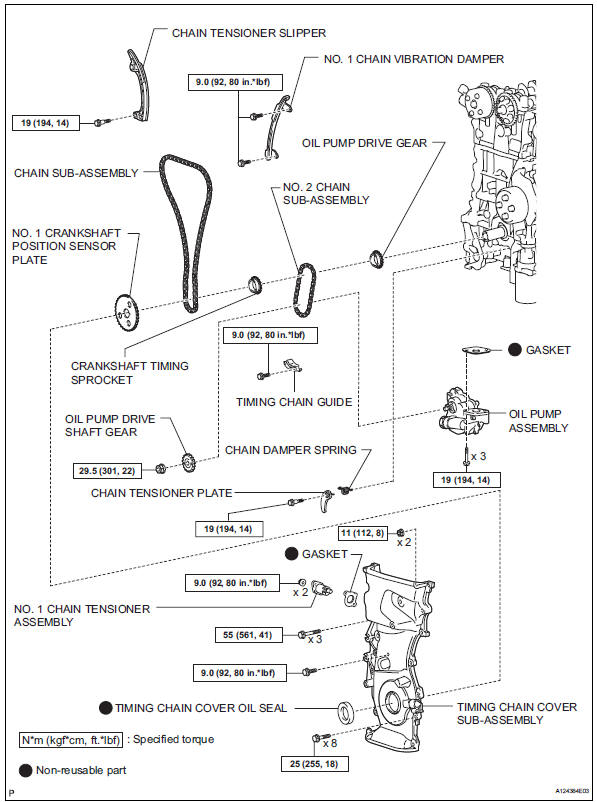
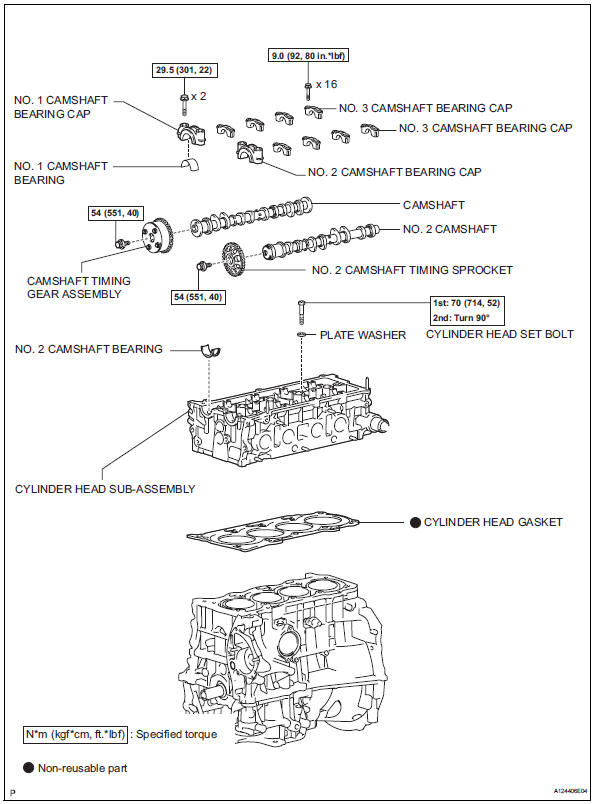
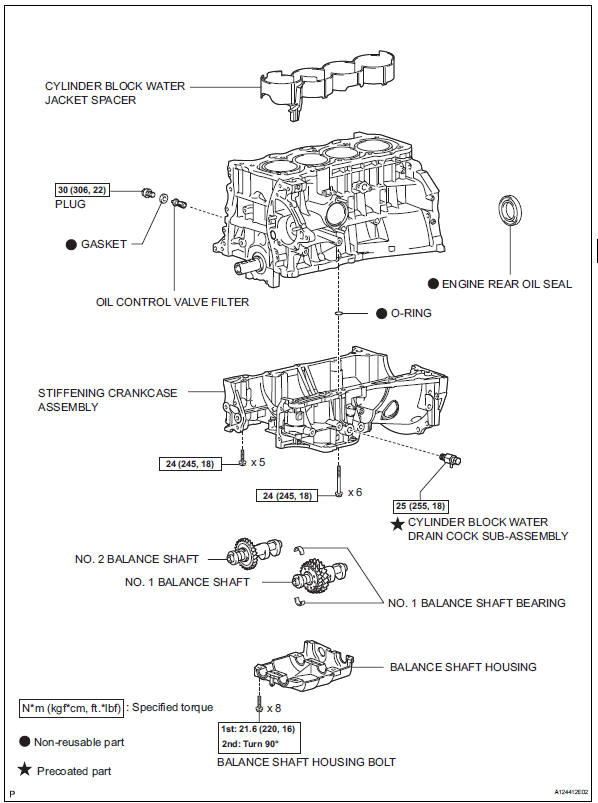
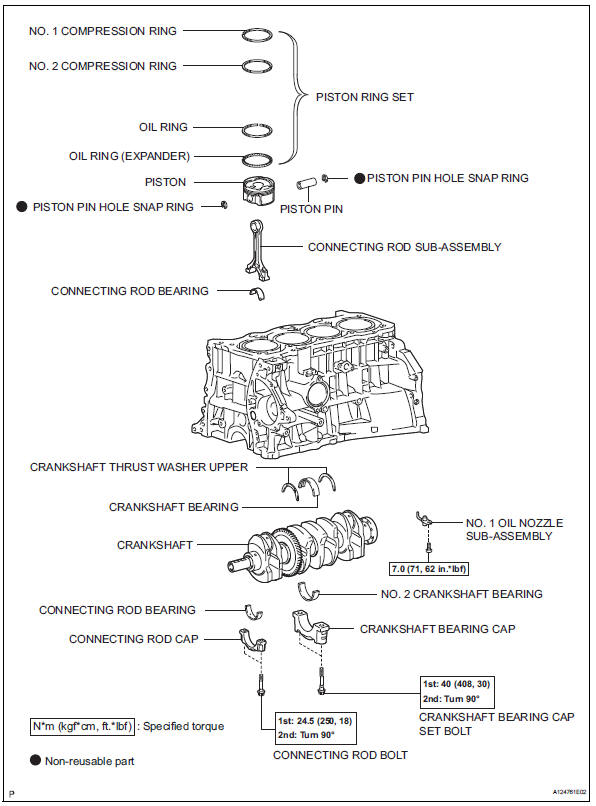
 Engine unit
...
 Disassembly
Remove idler pulley (see page em-23)
Remove oil dipstick
Remove oil dipstick guide (see page em-57)
Remove manifold stay (see page em-57)
Remove no. 2 Manifold stay (see page em-58)
Remov ...
Other materials:
Rear occupant classification sensor lh circuit malfunction
Description
The rear occupant classification sensor lh circuit consists of the occupant
classification ecu and the rear
occupant classification sensor lh.
Dtc b1782 is recorded when a malfunction is detected in the rear occupant
classification sensor lh
circuit.
Wiring diagram
...
Camshaft position correlation (bank 1 sensor a)
Dtc P0016 P0016 crankshaft position - camshaft position correlation
(bank 1 sensor a)
Description
In the vvt (variable valve timing) system, the appropriate intake valve open
and close timing is
controlled by the ecm. The ecm performs intake valve control by performing the
following: 1) cont ...
Programming HomeLink
â– Before programming
HomeLink
During programming, it is possible
that garage doors,
gates, or other devices may
operate. For this reason,
make sure that people and
objects are clear of the
garage door or other devices
to prevent injury or other
potential harm.
It is recommended that a n ...
