
Toyota RAV4 (XA40) 2013-2018 Service Manual: Downhill assist control switch
Components
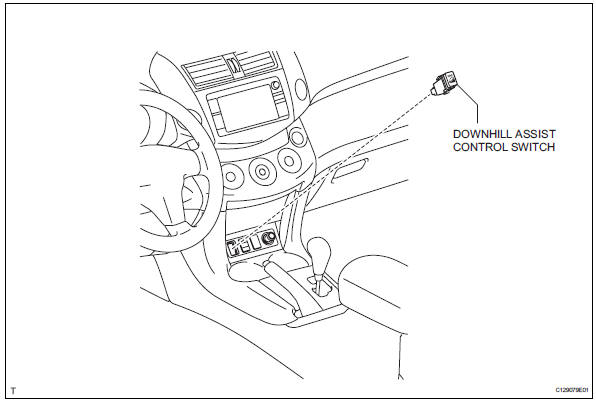
Removal
- Disconnect cable from negative battery terminal
Caution:
Wait at least 90 seconds after disconnecting the cable from the negative (-) battery terminal to prevent airbag and seat belt pretensioner activation.
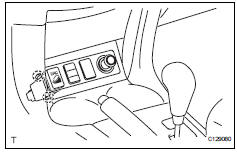
- Remove downhill assist control switch
- Detach the 2 claws and remove the switch.
Inspection
- Check downhill assist control switch
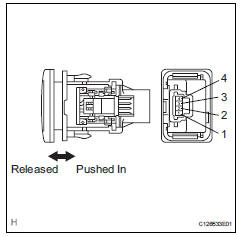
- Measure the resistance of the switch.
Standard resistance 
If the result is not as specified, replace the switch.
- Check illumination operation.
(1) Connect the battery's positive (+) lead to terminal 3 and negative (-) lead to terminal 2.
Then check that the bulb illuminates.
Ok: bulb illuminates.
If the result is not as specified, replace the switch.
Installation
- Install downhill assist control switch
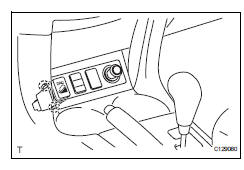
- Attach the 2 claws to install the switch.
- Connect cable to negative battery terminal
 Brake pedal load sensing switch
On-vehicle inspection
Inspect brake pedal load sensing switch
Hint:
Do not remove the brake pedal load sensing switch
from the brake pedal support.
When there is a malfunction in the br ...
 Traction control switch (for 2wd)
Components
Removal
Disconnect cable from negative battery
terminal
Caution:
Wait at least 90 seconds after disconnecting the
cable from the negative (-) battery terminal to
prevent ai ...
Other materials:
Air conditioning amplifier communication stop mode
Description
Wiring diagram
Inspection procedure
Notice:
Turn the ignition switch off before measuring the resistances
of the main wire and the branch
wire.
After the ignition switch is turned off, check that the key
reminder warning system and light
reminder warning sy ...
Idle control system malfunction
Description
The idling speed is controlled by the etcs (electronic throttle control
system). The etcs is comprised
of: 1) the one valve type throttle body; 2) the throttle actuator, which
operates the throttle valve; 3) the
throttle position (tp) sensor, which detects the opening angle of ...
Adjusting the mirrors
Make sure that you can see backward clearly by adjusting the inside
and outside rear view mirrors properly.
Caution
Observe the following precautions.
Failure to do so may result in death or serious injury.
Do not adjust the position of the driver’s seat while driving.
Doing so could ...
