
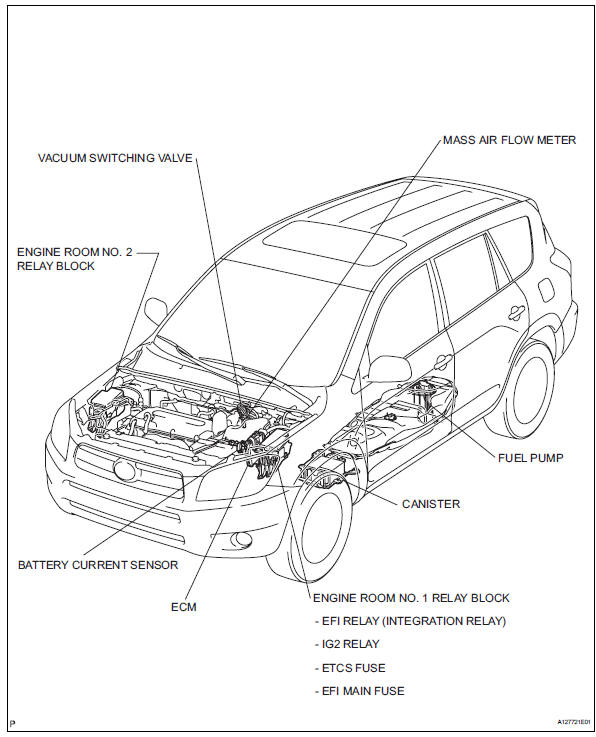
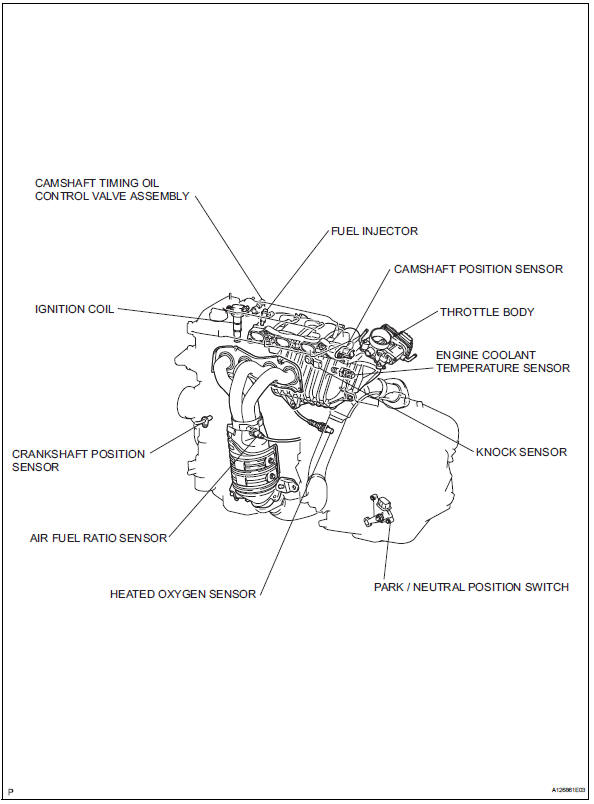
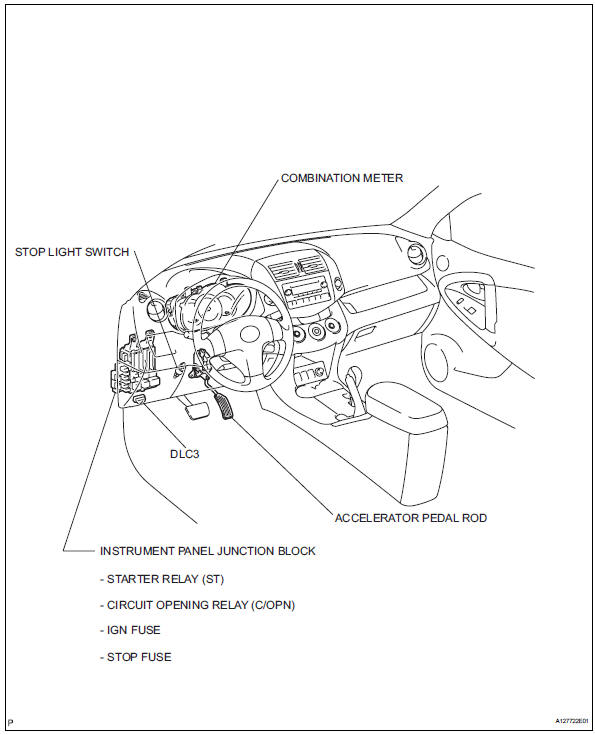
Toyota RAV4 (XA40) 2013-2018 Service Manual: Parts location
 Definition of terms
Terms
Definition
Monitor description
Description of what ecm monitors and how detects malfunctions
(monitoring purpose and
details).
Related dtcs
Group of diag ...
 System diagram
...
Other materials:
Front occupant classification sensor rh collision detection
Description
Dtc b1786 is output when the occupant classification ecu receives a collision
detection signal sent by
the front occupant classification sensor rh when an accident occurs.
Dtc b1786 is also output when the front seat assembly rh is subjected to a
strong impact, even if an
a ...
Diagnostic trouble code chart
Look for output diagnostic trouble codes (dtcs) (from the
dtc checks) in the appropriate section's diagnostic trouble
code chart. Use the chart to determine the trouble area and
the proper inspection procedure. A description of each of the
chart's columns are below.
Item
Description
...
Towing related terms
â– GCWR (Gross Combination
Weight Rating)
The maximum allowable gross
combination weight. The gross combination weight is the sum
of the total vehicle weight
(including the occupants, cargo
and any optional equipment
installed on the vehicle) and the
weight of the trailer being towed
(including the ...
