
Toyota RAV4 (XA40) 2013-2018 Service Manual: How to proceed with troubleshooting
Hint:
*: Use the intelligent tester.
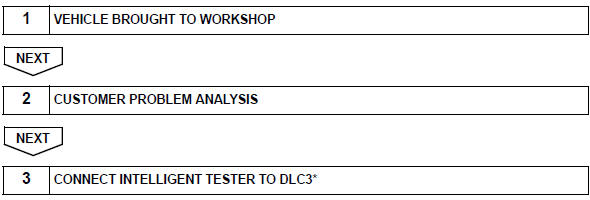
Hint:
If the display indicates a communication fault in the tester, inspect the dlc3.

Hint:
Record or print dtcs and freeze frame data, if necessary.
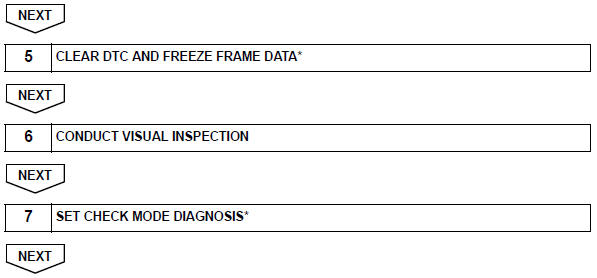

Hint:
If the engine does not start, first perform the "check dtc"
procedures and "conduct basic inspection"
procedures below. 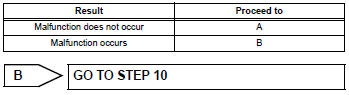
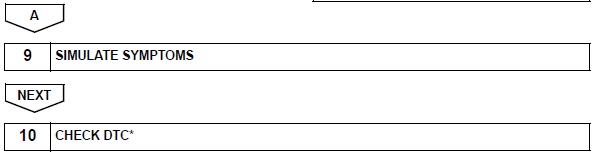
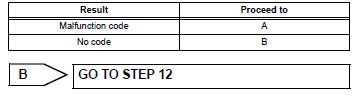
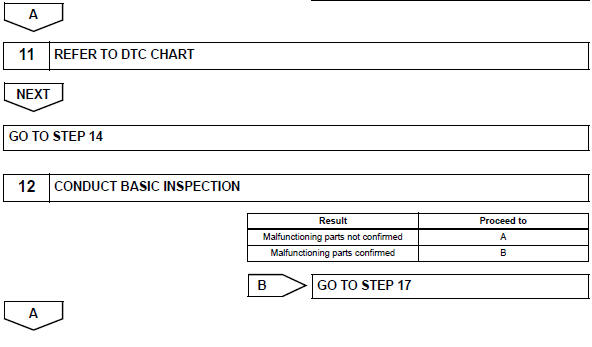
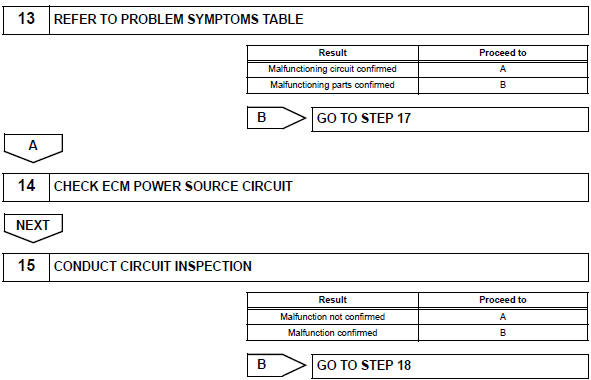
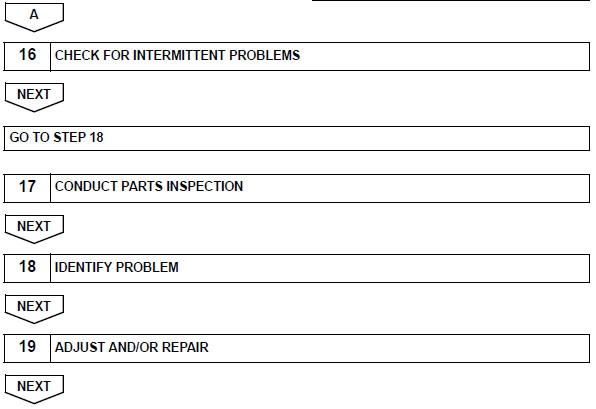

 System diagram
...
 Check for intermittent problems
Hint:
Inspect the vehicle's ecm using check mode. Intermittent
problems are easier to detect with the intelligent tester when
the ecm is in check mode. In check mode, the ecm uses 1
trip detection ...
Other materials:
Definition of terms
Terms
Definition
Monitor description
Description of what ecm monitors and how detects malfunctions
(monitoring purpose and
details).
Related dtcs
Group of diagnostic trouble codes that are output by ecm based on
same malfunction
detection logic.
...
Screen for general settings
Press the “setup� button.
Select “general� on the “setup�
screen.
“Englishâ€�, “françaisâ€� or
“españolâ€� can be selected.
On/off can be selected to
sound beeps.
Select to change the screen
color.
Select to change the keyboard
layout.
...
Driver side - side airbag sensor circuit malfunction
Description
The side airbag sensor lh consists of part including the diagnostic circuit
and the lateral deceleration
sensor.
When the center airbag sensor receives signals from the lateral deceleration
sensor, it determines
whether or not the srs should be activated.
Dtc b1620/21 is ...
