
Toyota RAV4 (XA40) 2013-2018 Service Manual: Ignition coil
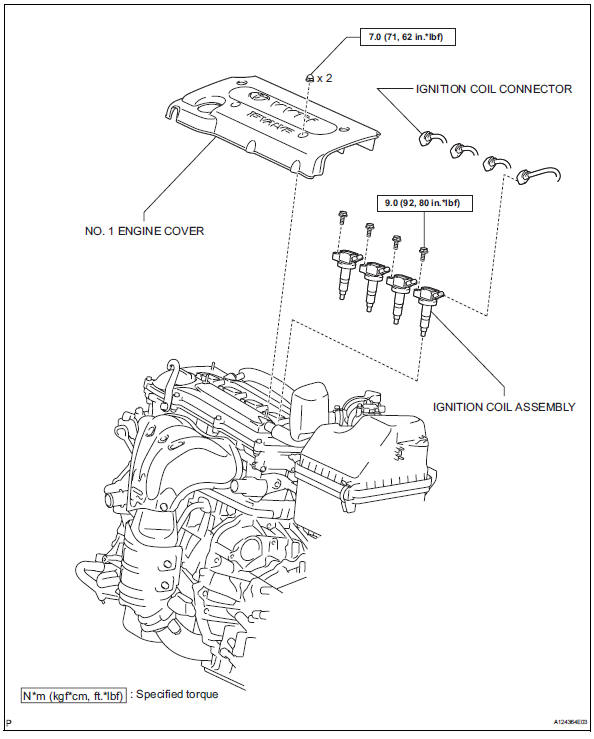
Components
Removal
- Disconnect cable from negative battery terminal
Caution:
Wait at least 90 seconds after disconnecting the cable from the negative (-) battery terminal to prevent airbag and seat belt pretensioner activation.
- Remove no. 1 Engine cover (see page es-410)
- Remove ignition coil assembly
- Disconnect the 4 ignition coil connectors.
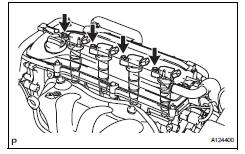
- Remove the 4 bolts and 4 ignition coils.
Installation
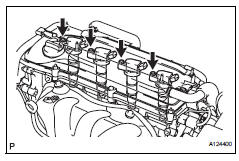
- Install ignition coil assembly
- Install the 4 ignition coils with the 4 bolts.
Torque: 9.0 N*m (92 kgf*cm, 80 in.*Lbf)
- Connect the 4 ignition coil connectors.
- Install no. 1 Engine cover (see page es-414)
- Connect cable to negative battery terminal
 On-vehicle inspection
Check ignition coil assembly and perform spark test
Notice:
in this section, the terms "cold" and "hot" refer to
the temperature of the coils. "Cold" means
appro ...
 Starting system
Parts location
System diagram
The starting system rotates the starter motor according to the
signals from the ignition switch and pnp switch.
...
Other materials:
Front passenger airbag assembly
Components
On-vehicle inspection
Check front passenger airbag assembly (vehicle not involved in
collision and airbag not deployed)
Perform a diagnostic system check (see page rs-
49).
With the front passenger airbag installed on the
vehicle, perform a visual check:
chec ...
System description
General
The air conditioning system has the following
features:
The air conditioning amplifier controls the
operation of parts, such as the a/c compressor,
automatically in accordance with the operating
conditions of the air conditioning system.
Mode position and damper ...
Oil pump
Components
Removal
Remove chain sub-assembly
Remove the chain (see page em-22).
Remove oil pump assembly
Remove the 3 bolts, oil pump and gasket.
Disassembly
Remove oil pump strainer
Remove the 2 nuts, oil pump strainer and gasket.
...
