
Toyota RAV4 (XA40) 2013-2018 Service Manual: Parts location
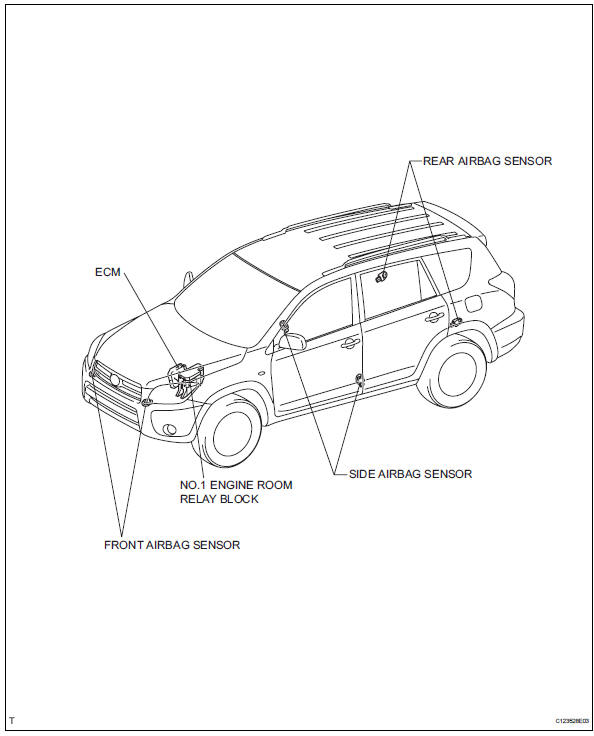
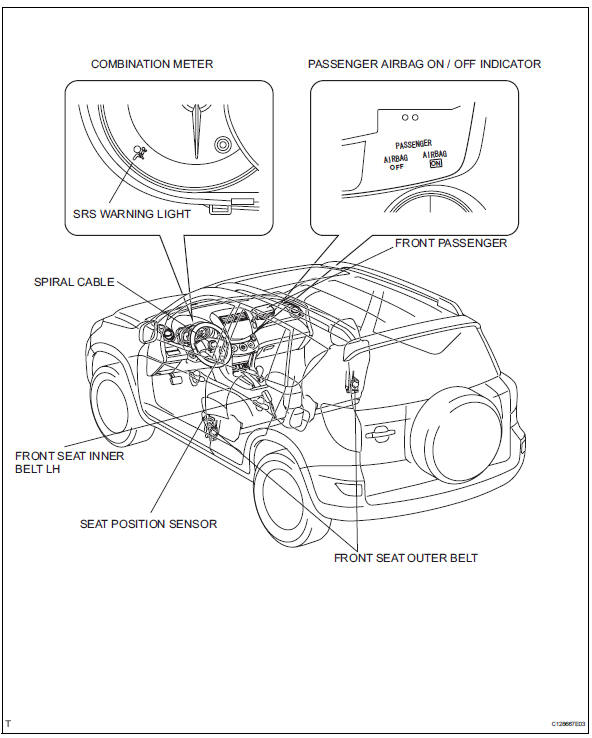
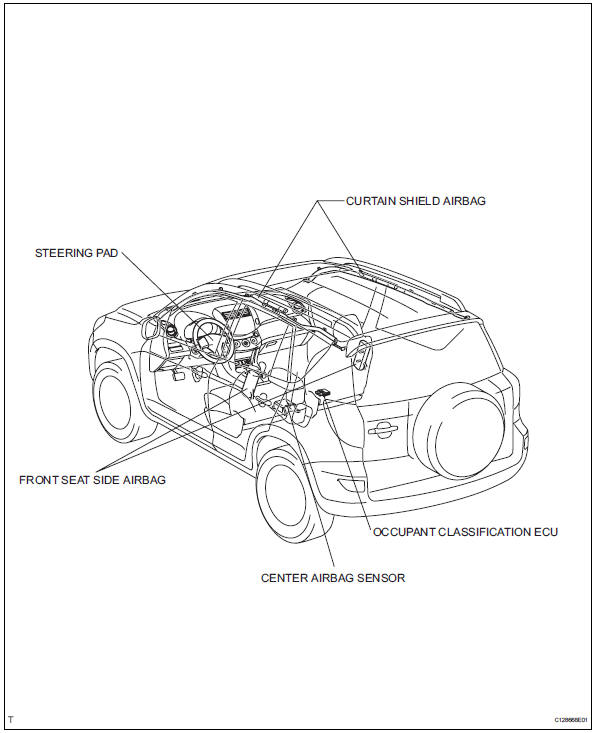
System diagram
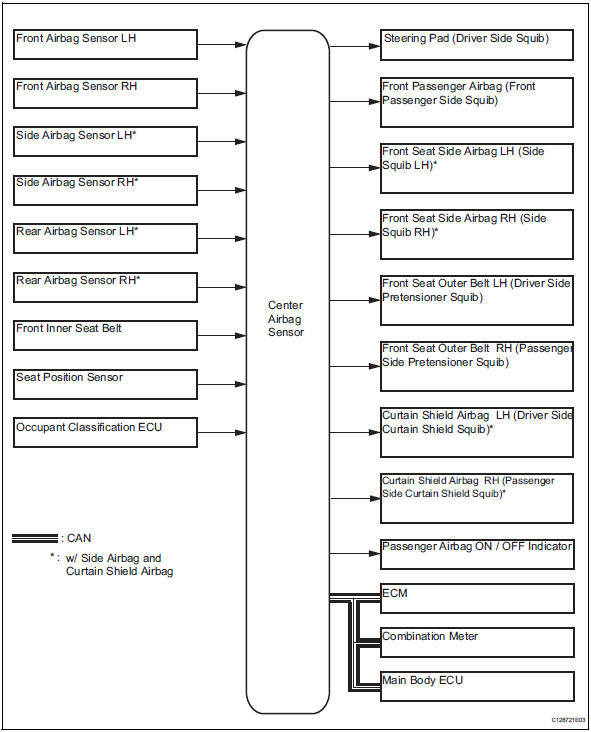
 Precaution
Caution:
The vehicle is equipped with a supplemental restraint
system (srs), which consists of a steering pad, front
passenger airbag, curtain shield airbag, front seat side
airbag, seat bel ...
 System description
General
In conjunction with an impact absorbing structure for
a frontal collision, the srs (supplemental restraint
system) driver airbag, front passenger airbag and
driver side knee air ...
Other materials:
Rear wiper rubber
Components
Removal
Remove rear wiper blade assembly
Rotate and remove the cap as described in the
"remove" procedures.
Raise the arm and blade.
Raise the wiper blade to the position where the claw
detach with a ''click'' sound, as shown in the
illustrat ...
Positioning a floor jack
When raising your vehicle with a floor jack, position the jack correctly.
Improper placement may damage your vehicle or cause
injury.
Front
Rear
Caution
When raising your vehicle
Make sure to observe the following precautions to reduce the possibility of
death or serious injury:
...
Dtc check / clear
Check dtc (when using intelligent tester)
Connect the intelligent tester (with can vim) to the
dlc3.
Turn the ignition switch on.
Turn the tester on.
Read the dtcs by following the prompts on the
tester screen.
Hint:
Refer to the intelligent tester operator's manual for
furth ...
