
Toyota RAV4 (XA40) 2013-2018 Service Manual: Parts location
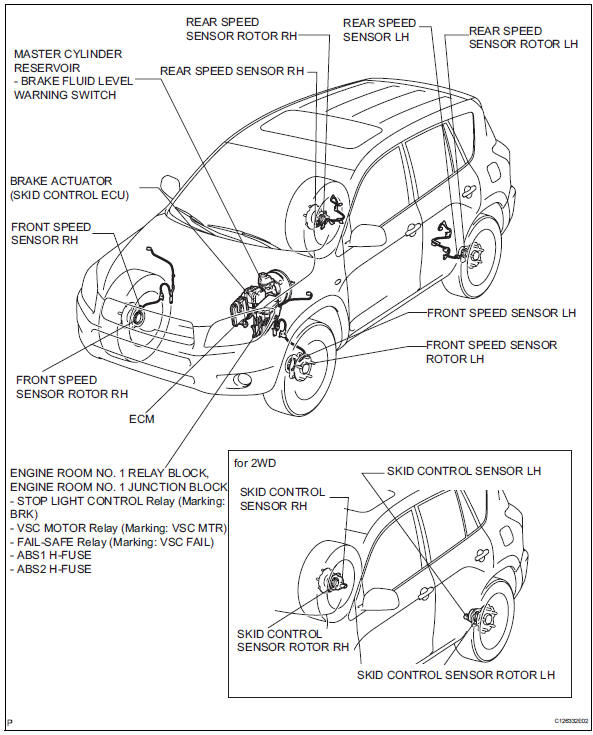
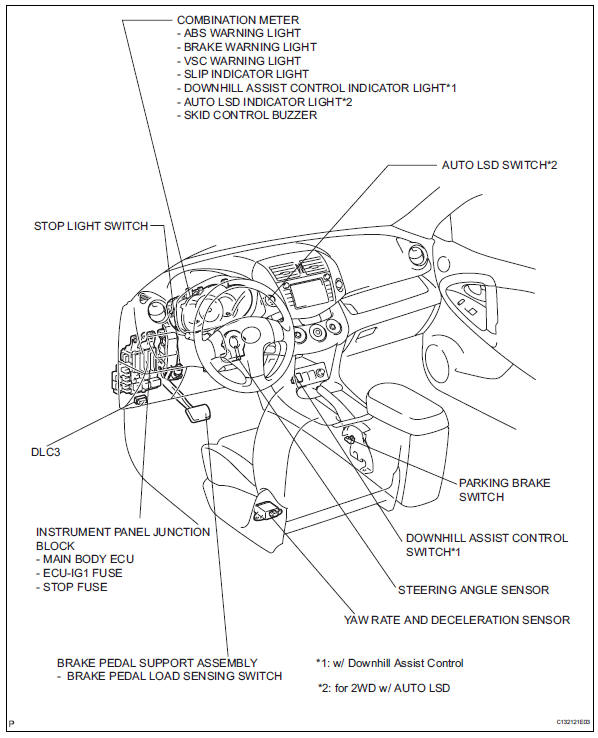
System diagram
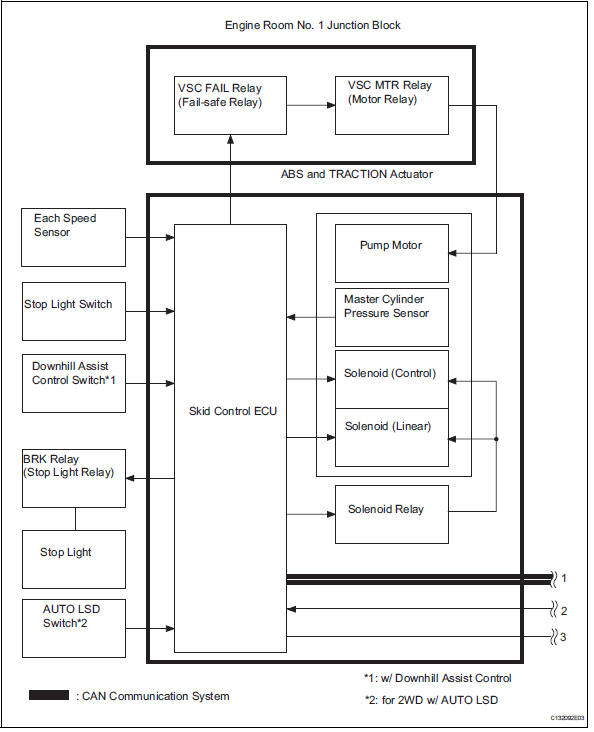
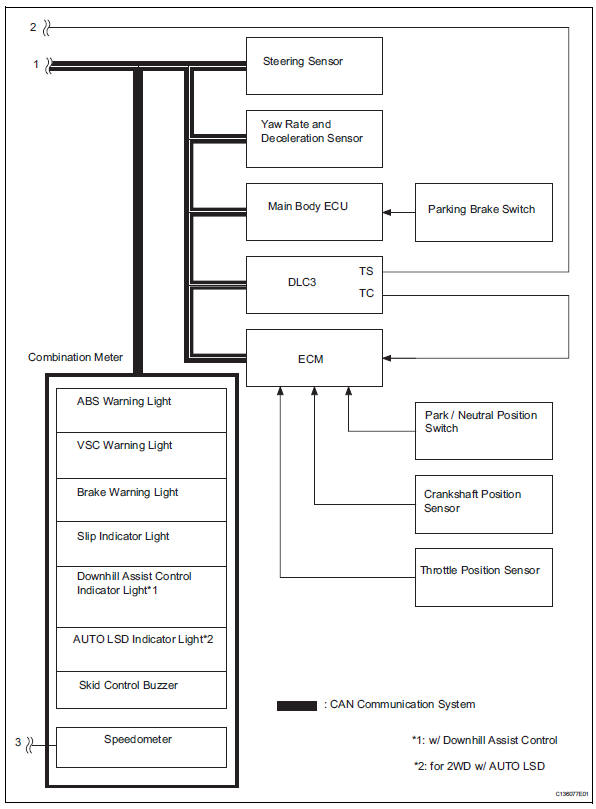
 Precaution
Troubleshooting precaution
When there are malfunctions in the contact points of
the terminals or installation problems with any parts,
removal and installation of the suspected problem
...
 System description
System description
Hint:
The skid control ecu forms a single unit with the abs
and traction actuator.
Abs (anti-lock brake system):
the abs helps prevent the wheels from locking
when t ...
Other materials:
Brake pedal
Components
Removal
Disconnect cable from negative battery
terminal
Caution:
Wait at least 90 seconds after disconnecting the
cable from the negative (-) battery terminal to
prevent airbag and seat belt pretensioner activation.
Remove instrument panel sub-assembly
Remov ...
Reporting safety defects
for u.S. Owners
If you believe that your vehicle has a defect which could cause a
crash or could cause injury or death, you should immediately
inform the national highway traffic safety administration
(nhtsa) in addition to notifying toyota motor sales, u.S.A., Inc.
(Toll-free: 1-800-331-4331).
If nhtsa re ...
Changing the display
The multi-information display is
operated using the meter control
switches.
Scroll the screen*/switch the
display*/move the cursor
Press: Enter/Set
Press and hold: Reset/Display
customizable items
Return to the previous screen
Call sending/receiving and
history display (if equipped)
Linke ...
