
Toyota RAV4 (XA40) 2013-2018 Owners Manual: Selecting the driving mode
The following modes can be selected to suit driving conditions.
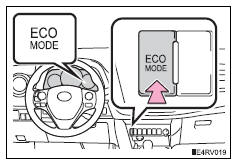
Eco drive mode
Use eco drive mode to help achieve low fuel consumption during trips that involve frequent accelerating.
Press the “eco mode� button to select eco drive mode.
The “eco mode� indicator comes on.
Press the button again to cancel eco drive mode.
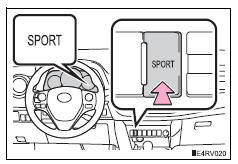
Sport mode
Use sport mode for sporty driving or driving in mountainous regions.
Press the “sport� button to select sport mode.
The “sport� indicator comes on.
Press the button again to cancel sport mode.
 Shift position purpose
*1: Shifting the shift lever to d allows the system to select a gear suitable
for
the driving conditions.
Setting the shift lever to d is recommended for normal driving.
*2: Selecting shi ...
 Selecting shift ranges in the s position
To enter s mode, shift the shift lever to s. Shift ranges can be selected
by operating the shift lever, allowing you to drive in the shift range of
your choosing. The shift range can be selected by ...
Other materials:
Data list / active test
Hint:
Using the intelligent tester's data list allows switch, sensor,
actuator and other item values to be read without removing
any parts. Reading the data list early in troubleshooting is
one way to save time.
Data list for occupant classification ecu
Connect the intelligent test ...
Components
...
Identification information
Vehicle identification and serial numbers
Vehicle identification number
The vehicle identification number is stamped on the
vehicle identification number plate and on the
certification label, as shown in the illustrations.
Vehicle identification number plate
Certification label ...
