
Toyota RAV4 (XA40) 2013-2018 Service Manual: Refrigerant line
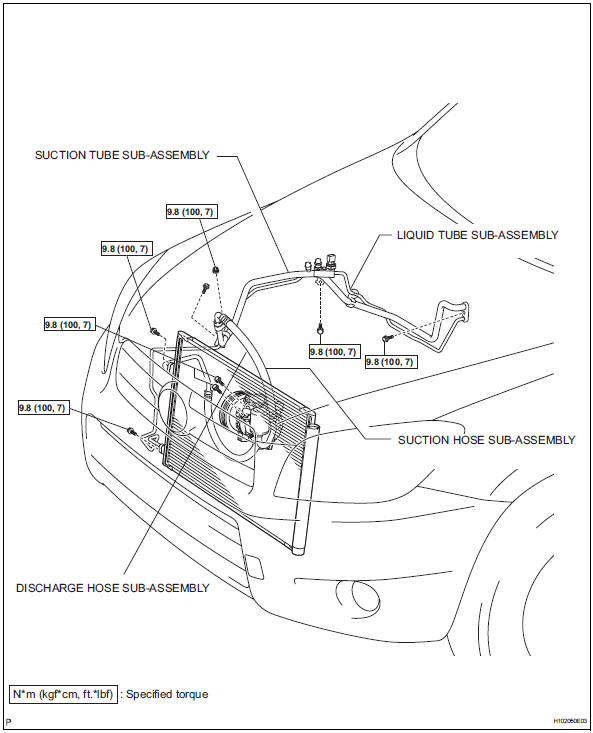
Components (2005/11-2006/01)
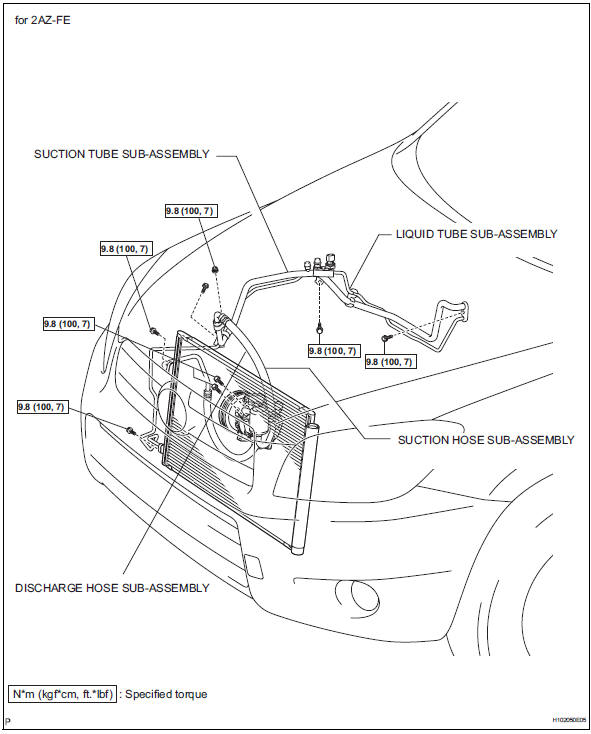
Components (2006/01- )
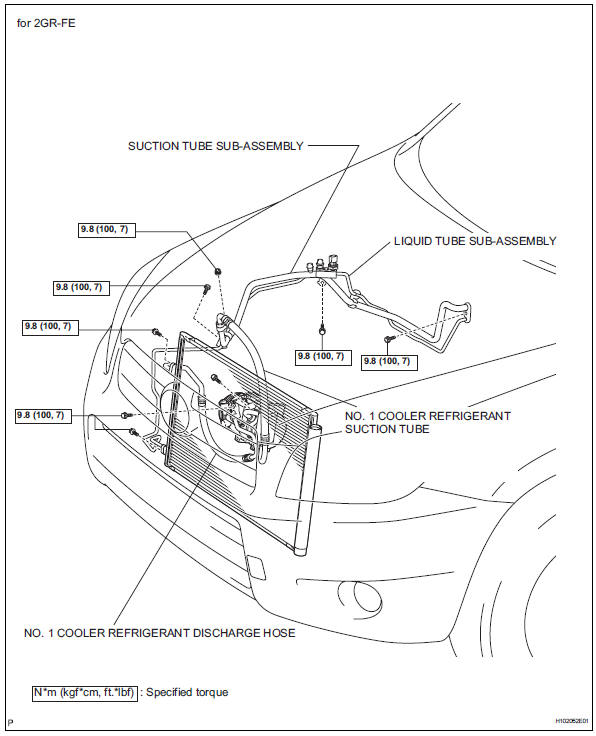
 Replacement
discharge refrigerant from refrigeration system
Start up the engine.
Turn the a/c switch on.
Operate the cooler compressor with an engine
speed of approximately 1,000 rpm for 5 to 6 min ...

Other materials:
Control module communication bus off
Description
The power steering ecu receives signals from the ecm and the skid control ecu
via the can
communication system.
Hint:
When 2 or more dtcs starting with [u] are output simultaneously, inspect
the connectors and wire
harness of each ecu.
If dtc u0105/41 is output, fi ...
Installation
Install upper instrument panel
Attach the 6 clips and 5 claws to install the
instrument panel.
Connect the connectors and clamps.
Install the 2 bolts and 2 screws.
Connect the passenger airbag connector.
Install the 2 bolts to the passenger airbag.
Torque: 20 n*m (204 k ...
Vehicle information display
â– Drive information
2 items that are selected using
the "Drive Info Items" setting
(average speed, distance and total time) can be displayed vertically.
The displayed information
changes according to the "Drive
Info Type" setting (since the system
was started or between
resets).
Use the displayed ...
