
Toyota RAV4 (XA40) 2013-2018 Service Manual: Front drive shaft assembly (for 2wd)
Components (2005/11-2006/01)
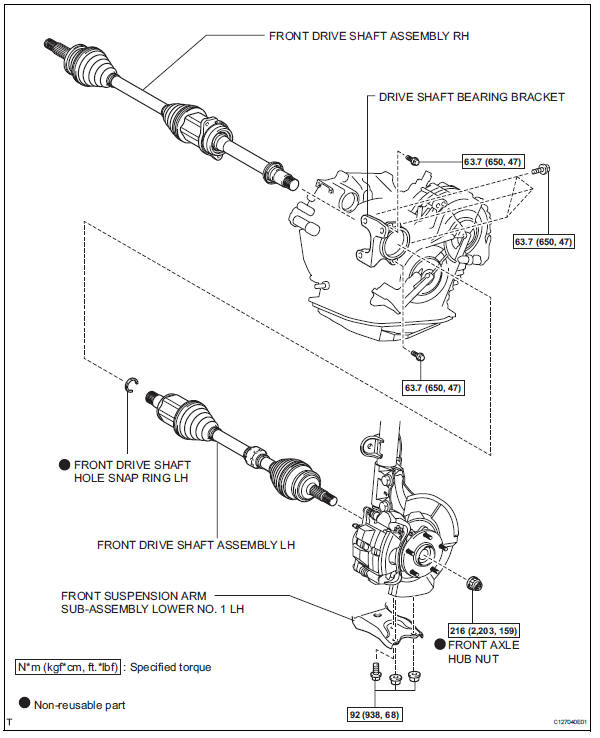
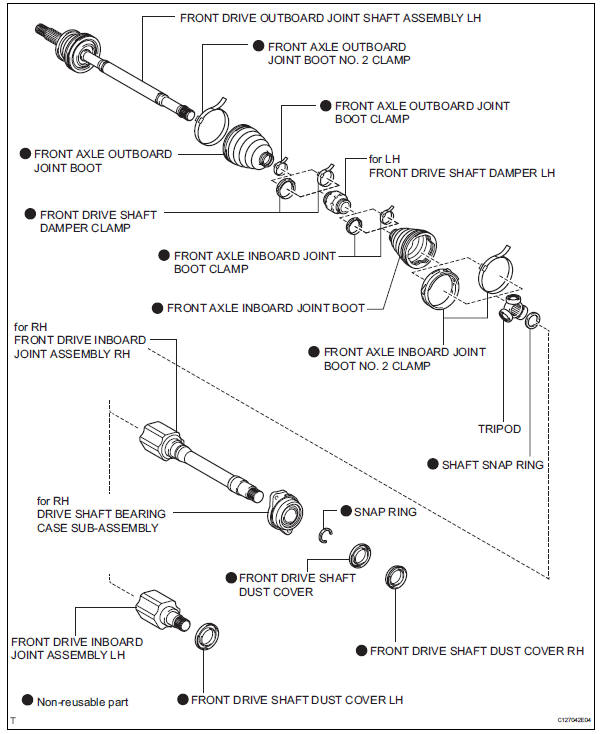
Components (2006/01- )
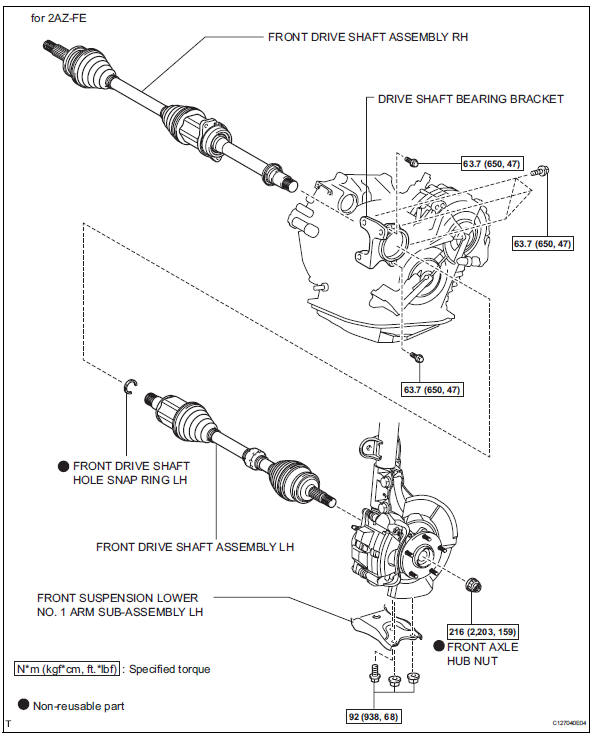
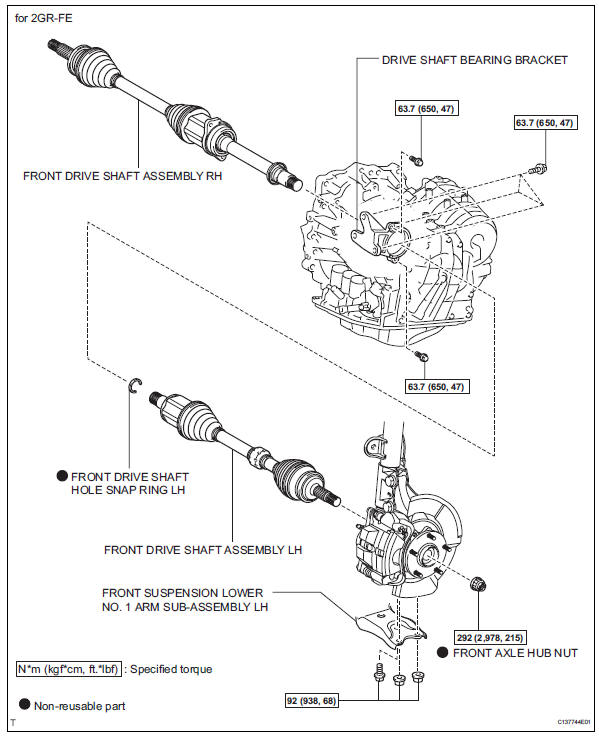
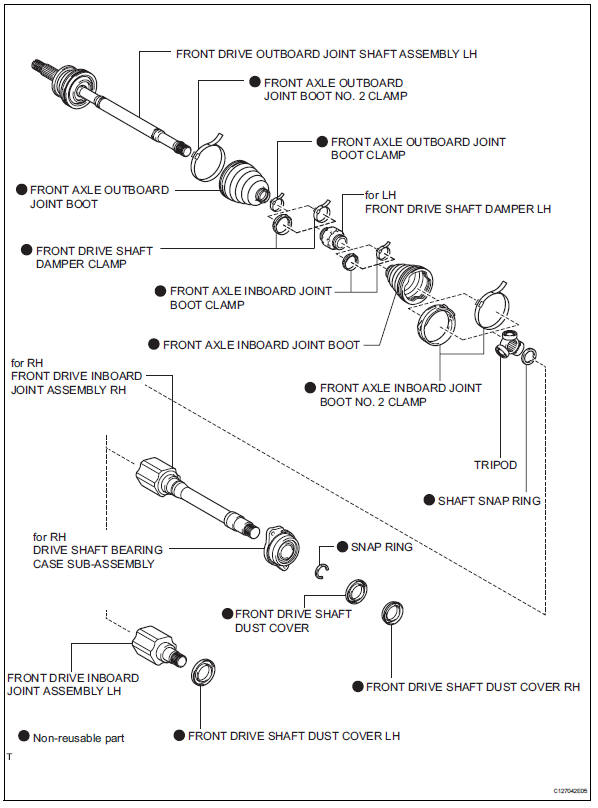
- Removal (2005/11-2006/01)
- Removal (2006/01- )
- Disassembly (2005/11-2006/01)
- Disassembly (2006/01- )
- Reassembly (2005/11-2006/01)
- Reassembly (2006/01- )
- Installation (2005/11-2006/01)
- Installation (2006/01- )
 Problem symptoms table (2006/01- )
Hint:
Use the table below to help determine the cause of the
problem symptom. The potential causes of the symptoms are
listed in order of probability in the "suspected area" column of
th ...
 Removal (2005/11-2006/01)
Remove front wheel
Drain automatic transaxle fluid
Drain the automatic transaxle fluid for u140f (see
page ax-147).
Drain the automatic transaxle fluid for u241e (see
page ax-146).
...
Other materials:
Terminals of ecu
Check power steering ecu
Hint:
Measurements cannot be performed on the c connector
side of the power steering ecu.
Measure the voltage and resistance of the
connectors.
If the result is not as specified, the ecu may have a
malfunction. ...
Vsc warning light remains on
Description
The skid control ecu is connected to the combination meter via the can
communication system.
W/o multi information display:
if the skid control ecu stores any dtcs which relate to the vsc system, the vsc
warning light comes on
in the combination meter.
W/ multi information d ...
System voltage
Description
The battery supplies electricity to the ecm even when the ignition switch is
in the off position. This
power allows the ecm to store data such as dtc history, freeze frame data and
fuel trim values. If the
battery voltage falls below a minimum level, the memory is cleared and ...
