
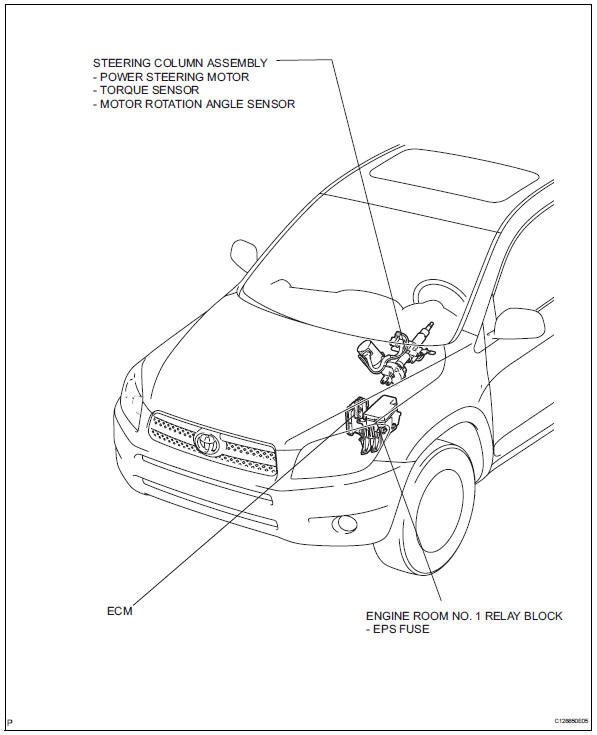
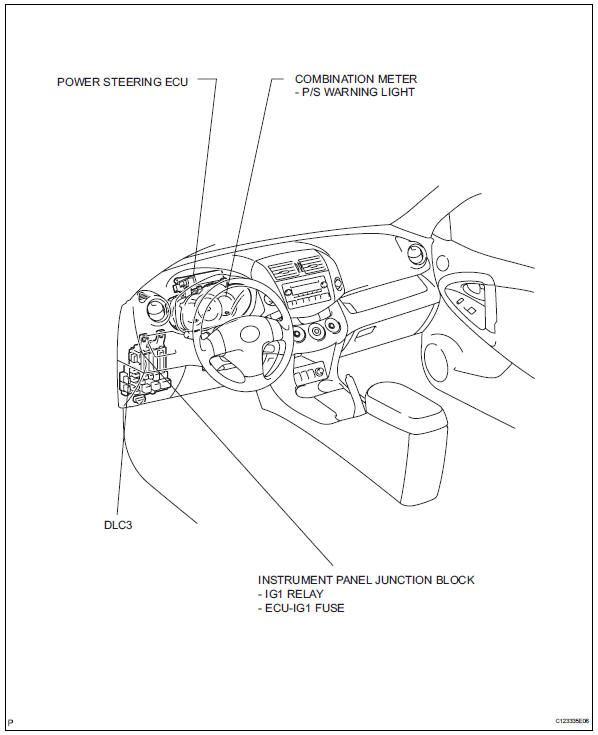
Toyota RAV4 (XA40) 2013-2018 Service Manual: Parts location
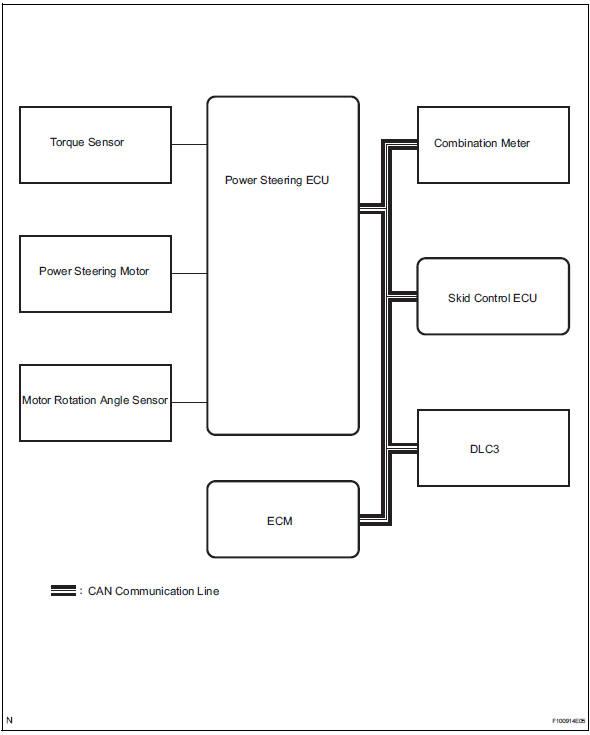
System diagram
 Precaution
Handling precaution
When handling the electronic parts:
Avoid any impact to electronic parts such as
ecus and relays. Replace with new ones if
dropped or subjected to a severe blow. ...
 System description
Description
The eps (electronic power steering) system generates
torque through the operation of the motor and the
reduction gear installed on the column shaft in order to
assist steering eff ...
Other materials:
When towing active torque control 4wd vehicles
Use one of the methods shown below to tow the
vehicle.
If the vehicle has trouble in the chassis and drivetrain,
use method 1 (flat bed truck).
Notice:
Do not use any towing method other than those
shown above.
For example, the towing methods shown below are
dangerous or dama ...
Operation flow
Hint:
Perform troubleshooting in accordance with the
procedures below. The following is an outline of basic
troubleshooting procedures. Confirm the troubleshooting
procedures for the circuit you are working on before
beginning troubleshooting.
Ask
the customer about the conditions and en ...
Power steering ecu
Components
Removal
Disconnect cable from negative battery
terminal
Remove instrument panel sub-assembly
upper
Remove the instrument panel (see page ip-4).
Remove power steering ecu
Disconnect the 4 connectors.
Remove the 3 nuts and remove the power steering
e ...
