
Toyota RAV4 (XA40) 2013-2018 Service Manual: Rear no. 2 Seat assembly
Components
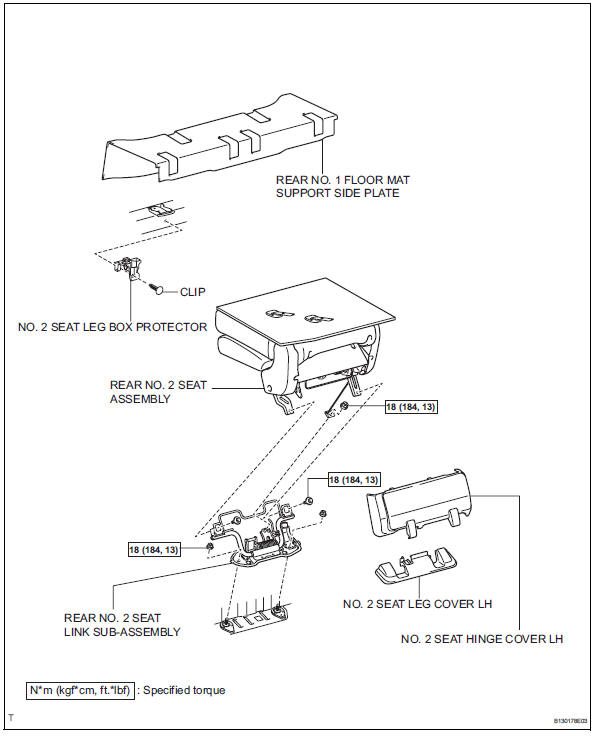
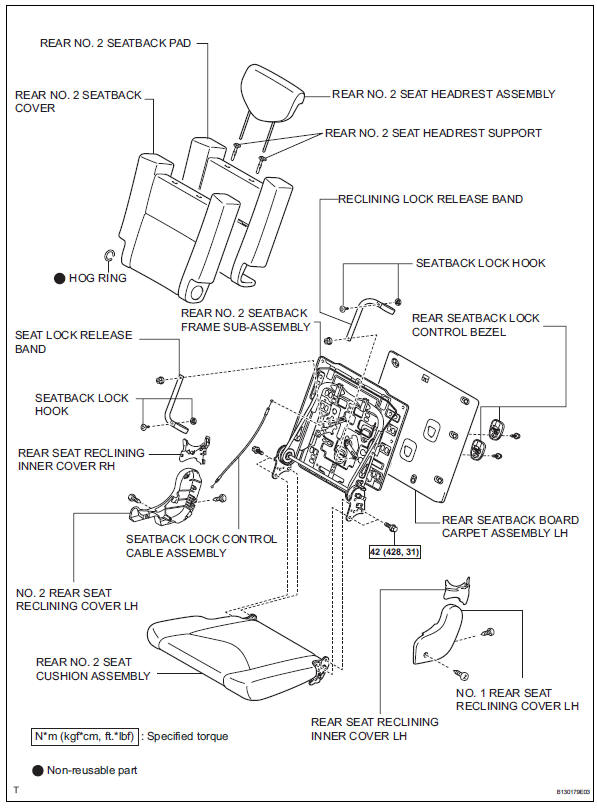
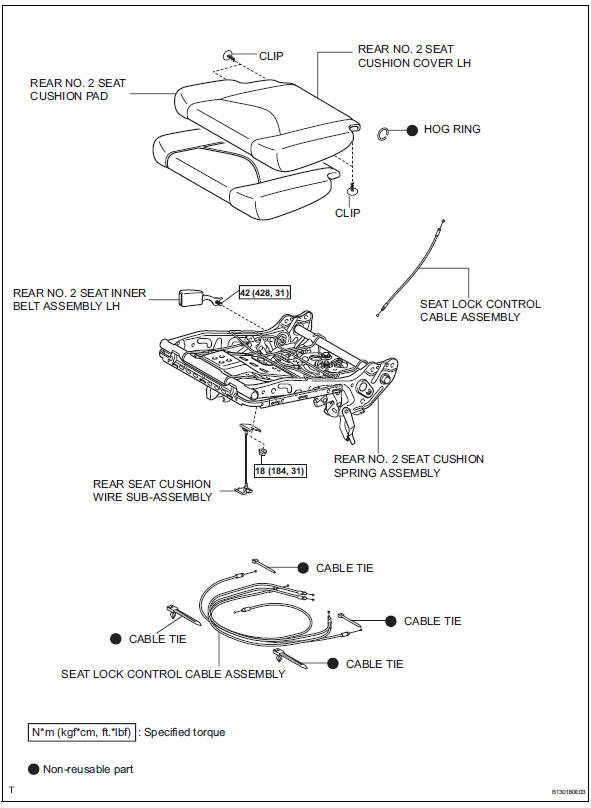
 Installation
Install rear no. 1 Seat assembly lh (w/o rear no. 2 Seat)
Fully tilt the seatback forward.
Place the seat in the cabin.
Notice:
Be careful not to damage the vehicle body.
Connection ...
 Removal
Hint:
Use the same procedures for the rh side and lh side.
The procedures listed below are for the rh side.
Remove no. 2 Seat hinge cover lh
Fully tilt the seatback forward.
At ...
Other materials:
All-wheel drive lock
switch (awd models)
All-wheel drive lock mode can be used when a large amount of
drive power needs to be applied to all the wheels, such as when
the vehicle gets stuck in mud and you need to free it.
Press the switch.
The torque of the engine is distributed
to the rear wheels to the maximum
extent possible in
ac ...
Reassembly
Install wiring harness clamp bracket
Install the bracket with the bolt.
Install elbow tube
Install straight pin
Using a plastic hammer, install the 4 straight pins to
the rear differential carrier.
Thoroughly clean oil and water from the surface of
the rear different ...
Reassembly
V
Attach the 7 outside moulding retainers to install the
extension.
Install front bumper extension rh (for wide
body)
Hint:
Use the same procedures described for the lh side.
Install front bumper hole cover lh (w/o fog
light)
Install the bumper hole cover with ...
